Validation

Closing the loop on data quality

Lets users fix data errors in place with a full audit trail.
23k cells corrected and step change in speed of work.

Date CleanseValidatePolicy Count = IntegerClaims Valuation DateDate ReportedPolicy effective date must be before expiryNo post office boxes for street addressesZip must be populated and 5 digits longMinimum rate of 15% for exposuresProgram deductible or SIR must be greater

Validation

Key points

  • Turned dead-end error reports into complete correction workflows
  • Made bulk correction authorship traceable, helping clients meet audit goals
  • Achieved step change in speed at which clients could work.

Validation

Project details

Role

Lead product designer, end to end

Team

Product owner, clients, engineers

Timeframe

3 months

Domain

Wholesale insurance data management

User profiles

Data analyst: domain expert with deep knowledge of the data
Technical skill level: competent Excel user

01 / Problem

You can see exactly where the data is wrong.

Fixing it means leaving the report, writing a formula in a pipeline, or emailing the supplier and waiting.

Now imagine working through hundreds of checks every month.

01 / Problem

No easy way to fix errors in data

We’d made errors easy to spot but hard to fix

An ad hoc IF statement corrects the Accident State for a specific policy number.

01 / Problem

Results were siloed in Quantemplate

Clients wanted an easier way to share results with suppliers

Evidence
  • Clients’ management-level users had objectives to improve the quality coming from their suppliers.
  • IT teams asked for an API to access validation results, to build their own feedback rig.

01 / Problem

Workflow was inefficient at enterprise scale

Usage had outgrown original design intent
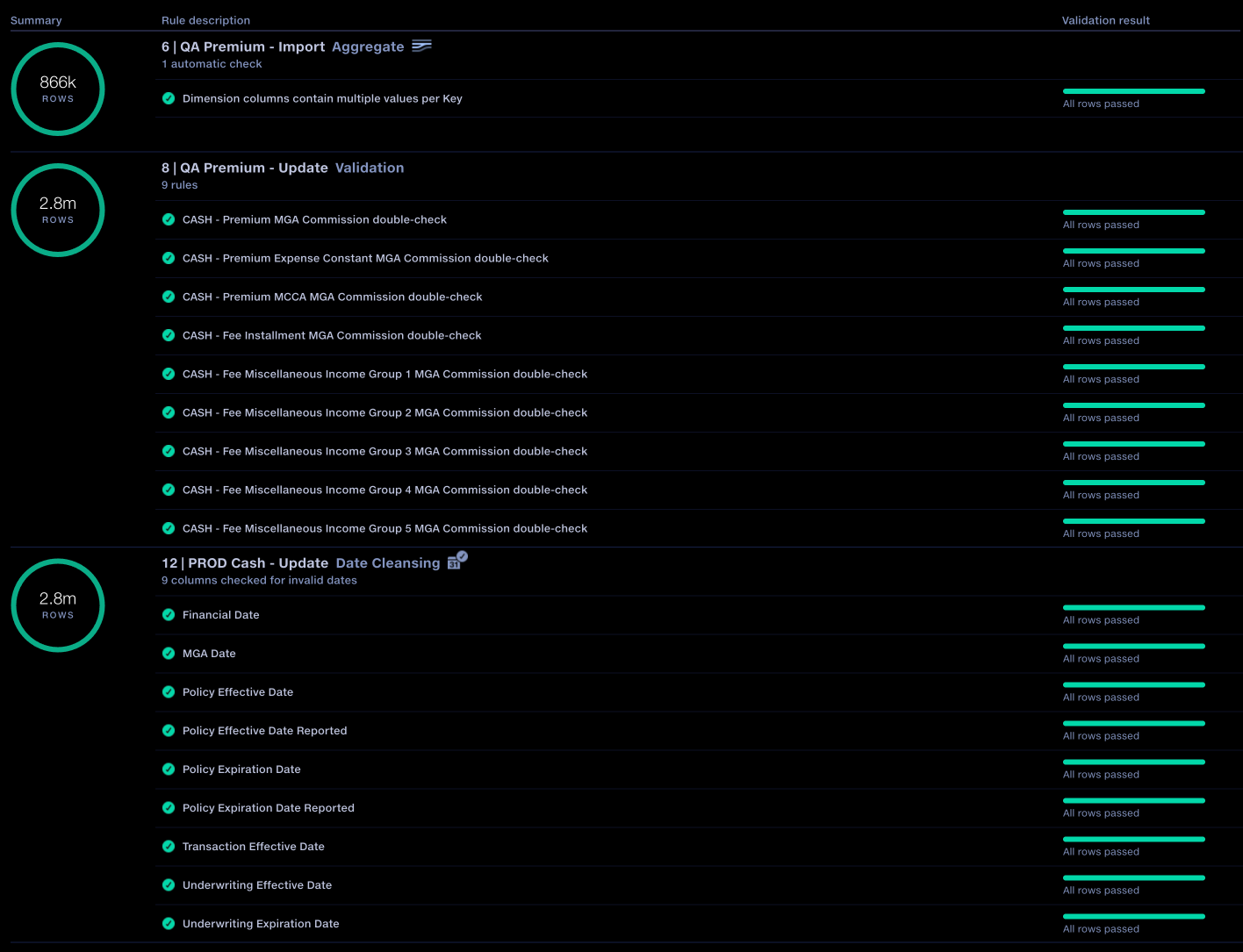
A client report with hundreds of validation rules.

02 / Approach

Framing the problem

02 / Approach

Framing

Client feedback

‘I just want to edit the failed cell’

Engineering constraint

Quantemplate is designed around rules-based transformations to data, so cell-level editing is not possible. Instead we need to make adding a rule as easy as editing a cell, and make its effect obvious.

02 / Approach

Framing

Client feedback

‘Give us an API so we can build our own validation feedback rig’

Strategic decision

Bringing the feedback workflow into Quantemplate would let business users request and manage supplier corrections without needing their IT team to build and maintain a separate system. It would also keep results and corrections connected in one auditable workflow, increasing the product’s value and supporting retention.

03 / Design decisions

Show before and after

Keep the original value beside the correction
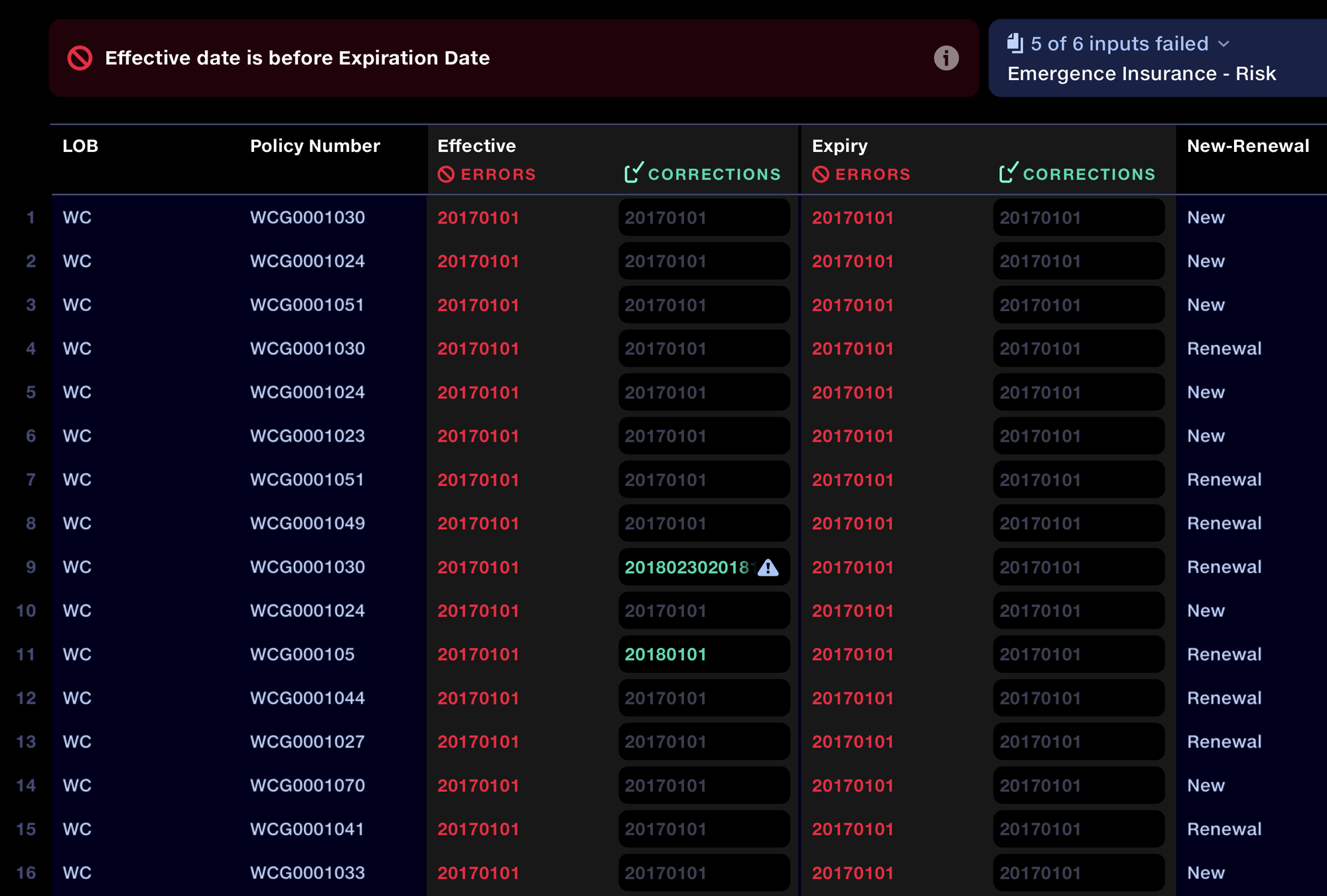
Original failed values alongside editable correction fields.

03 / Design decisions

First prototype

Fields don't look clickable
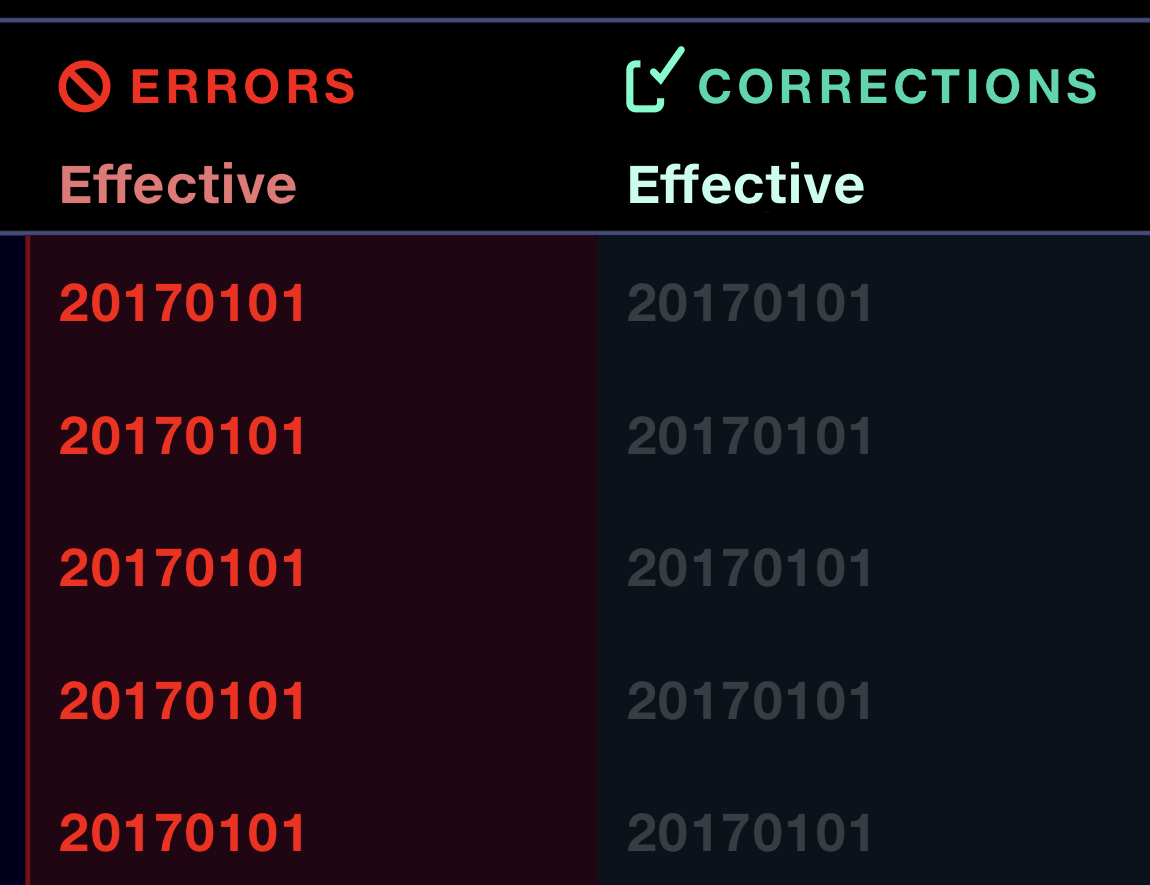
First prototype: correction fields were not clearly editable.

03 / Design decisions

Improved design

Clearer text entry affordances
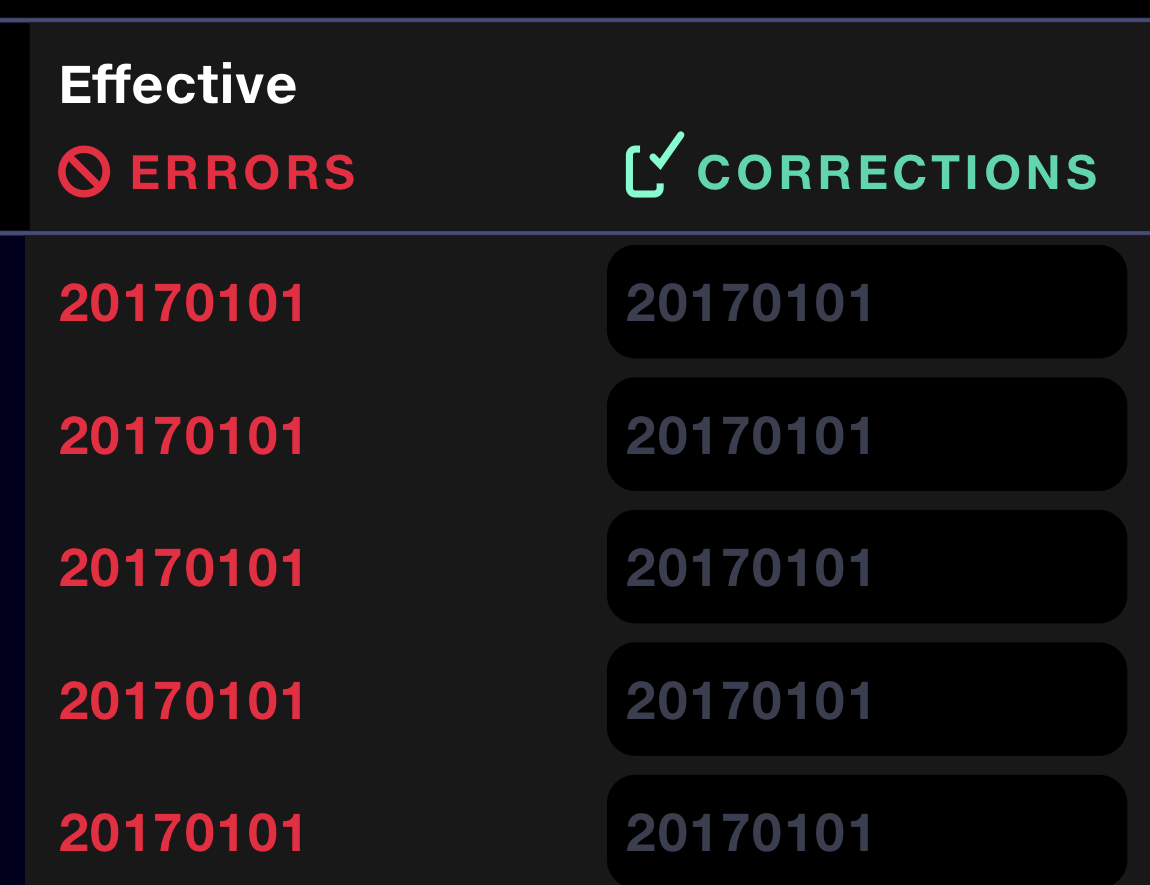
Revised entry fields are clearly defined and linked to original values.

03 / Design decisions

Preserve evidence

Keep a record of who changed what and when
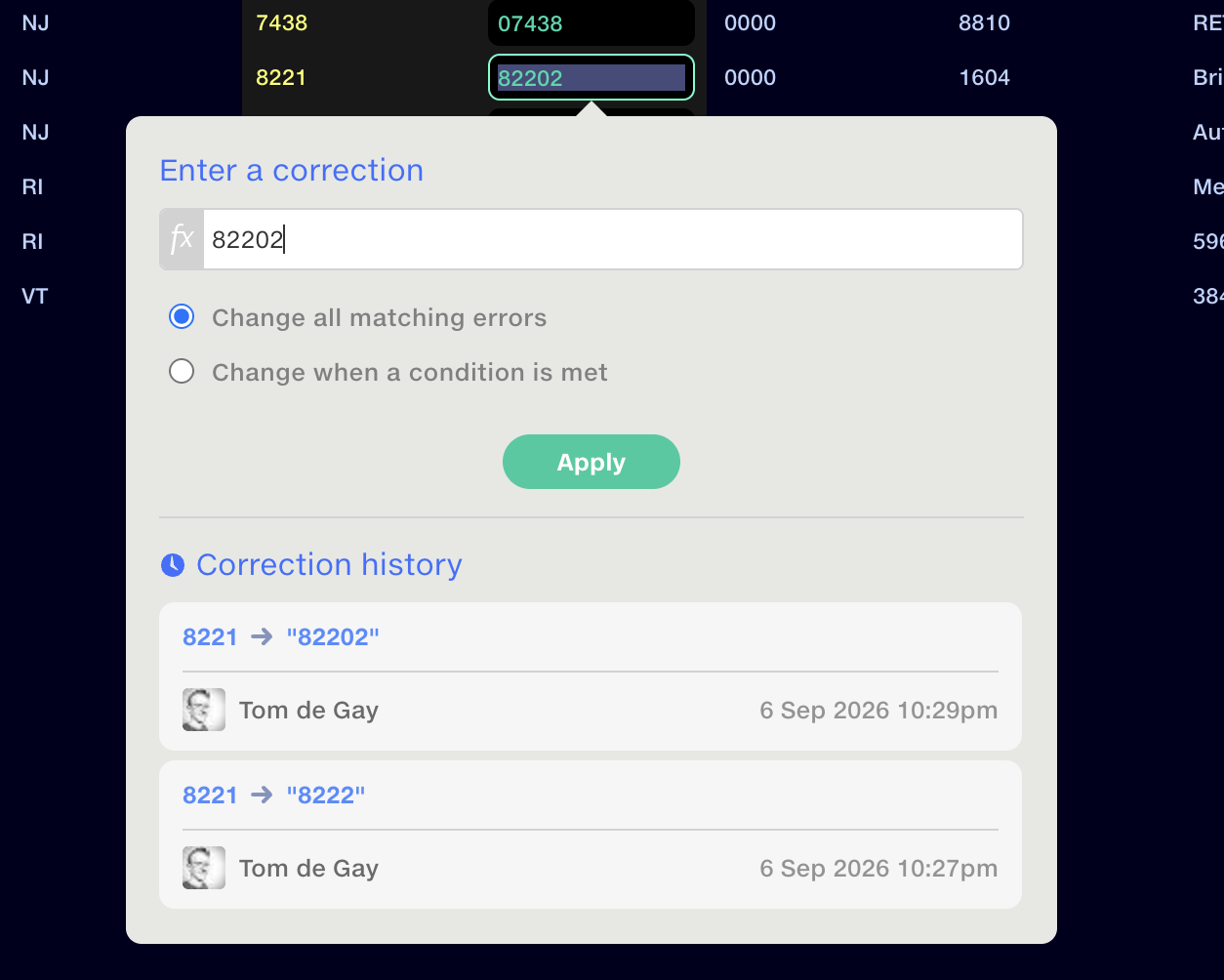
The correction popup with a Correction history section below the Apply button, listing successive edits to a value with the editor's name and a timestamp for each.

03 / Design decisions

Give immediate feedback

Check the correction now, apply it on the next run

03 / Design decisions

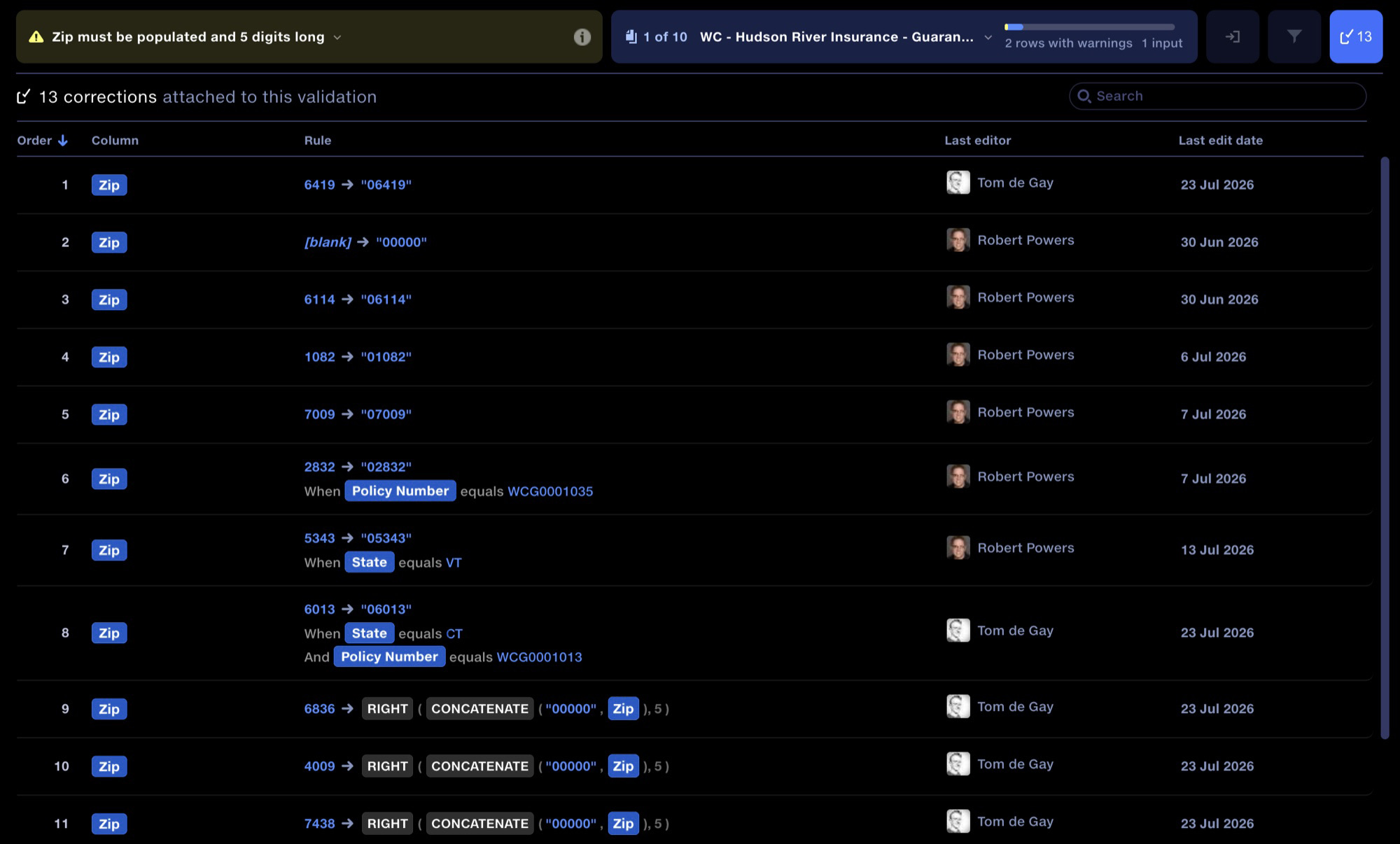
Ordering matters

Let users review and reorder overlapping corrections

A table of all corrections attached to one validation rule, with columns for order, column, the correction rule, last editor and last edit date.

03 / Design decisions

Filter out passes

Focus on the failures and warnings

03 / Design decisions

Skip the input drill-down step

Go straight to the first failed input
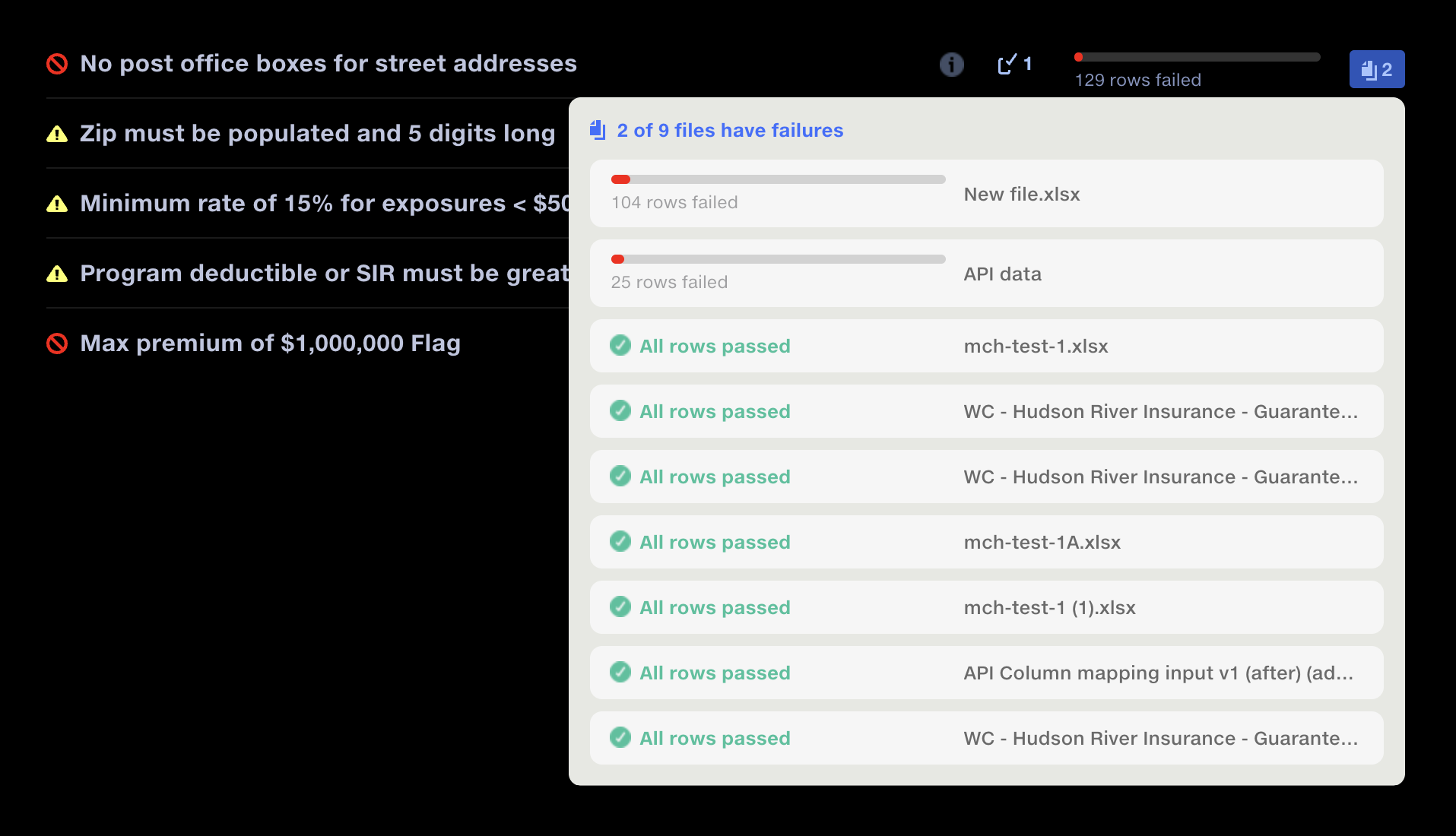
The input selection popup over the validation report: ‘2 of 9 files have failures’, listing each input file with its count of failed rows, or ‘All rows passed’.

03 / Design decisions

Add direct rule navigation

Move between rules without leaving the grid
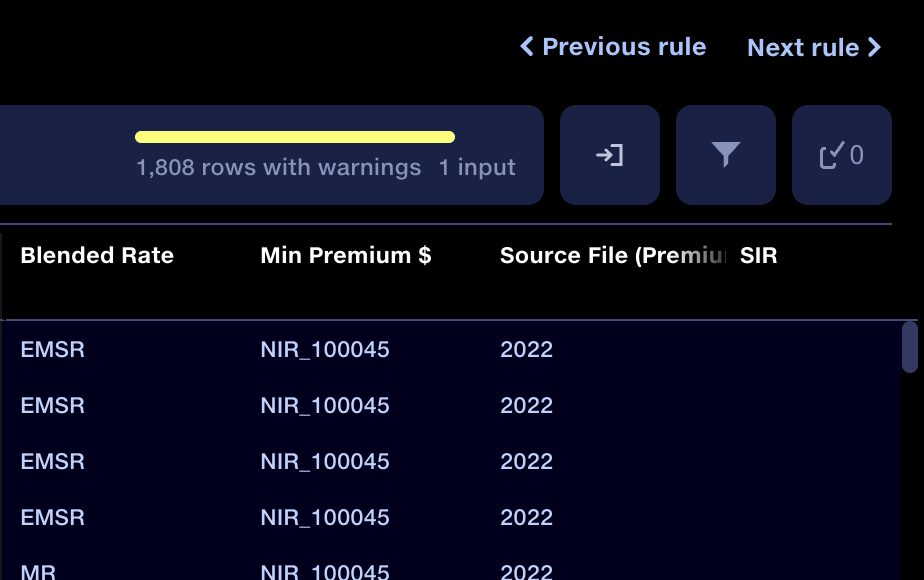
Previous rule and Next rule buttons above the data grid, for moving between validation rules without returning to the report.

03 / Design decisions

Add direct rule navigation

Move between rules without leaving the grid
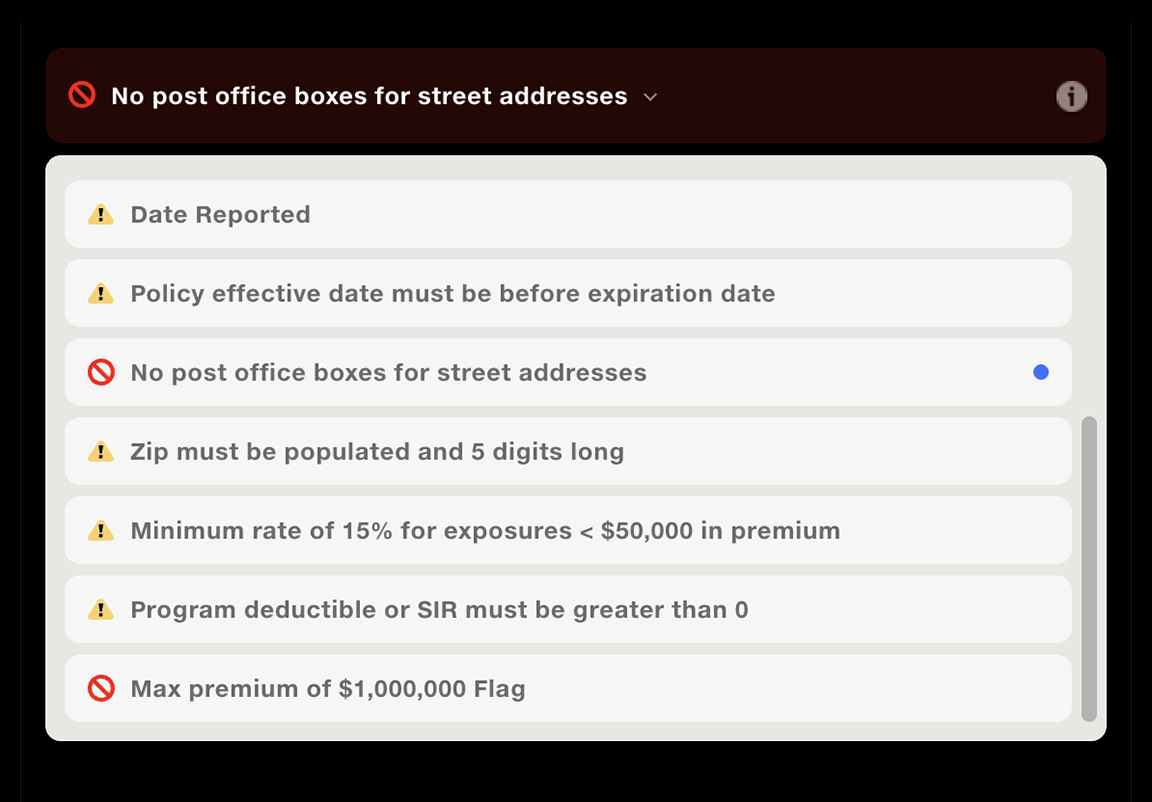
The rule navigator dropdown over the data grid, listing every validation rule with its fail or warning icon, the current rule marked with a dot.
Correction requests architecture Data moves from Feed out to Feed in and through the pipeline. Correction requests return from validation to Feed in, then to Feed out.

04 / Sharing

Choose what to share

Select the results, organisations and people
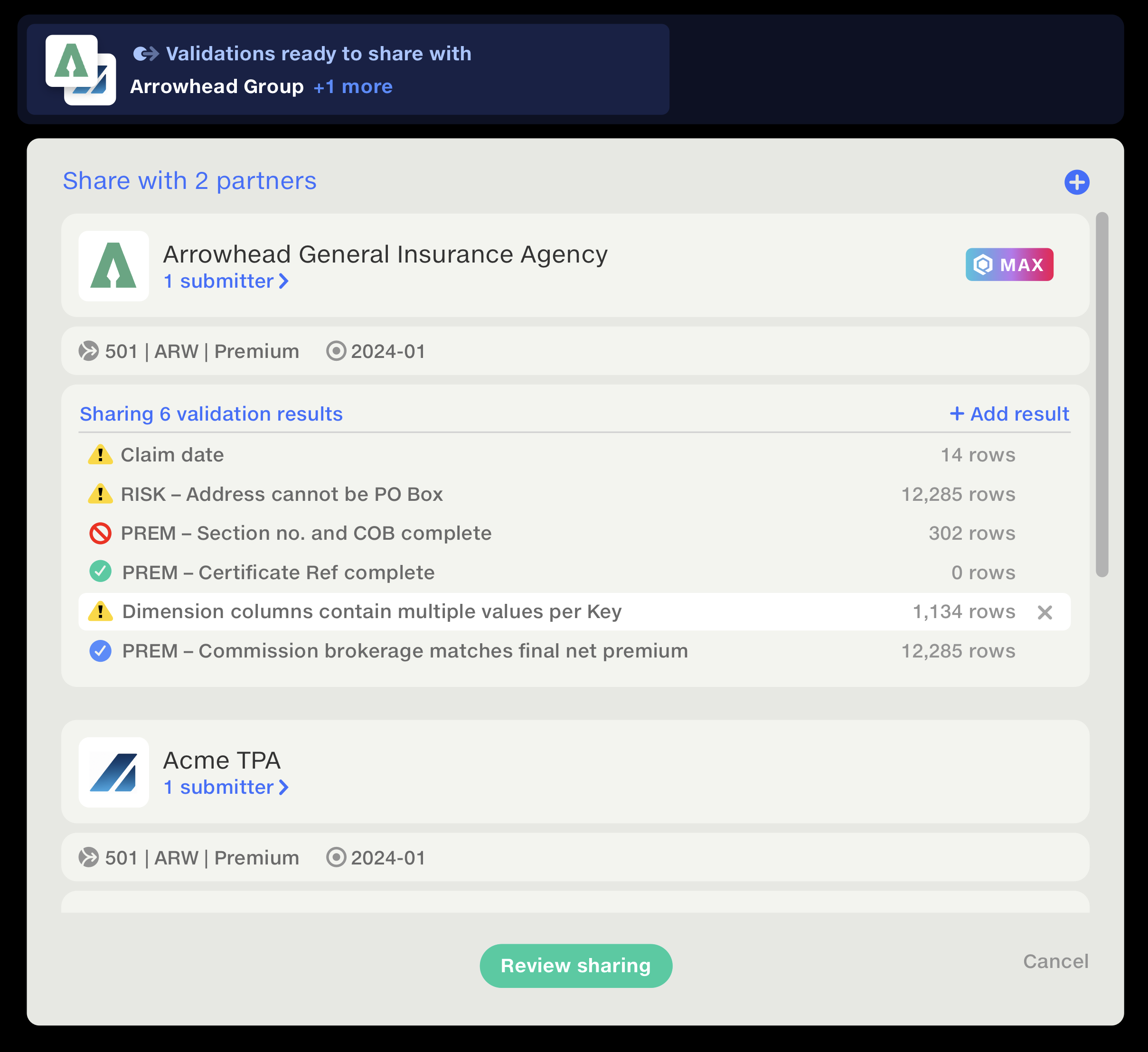
The sharing popup: ‘Share with 2 partners’, listing each partner organisation with its submitters and the validation results selected to share, with a Review sharing button.

04 / Sharing

Choose what to share

Select the results, organisations and people
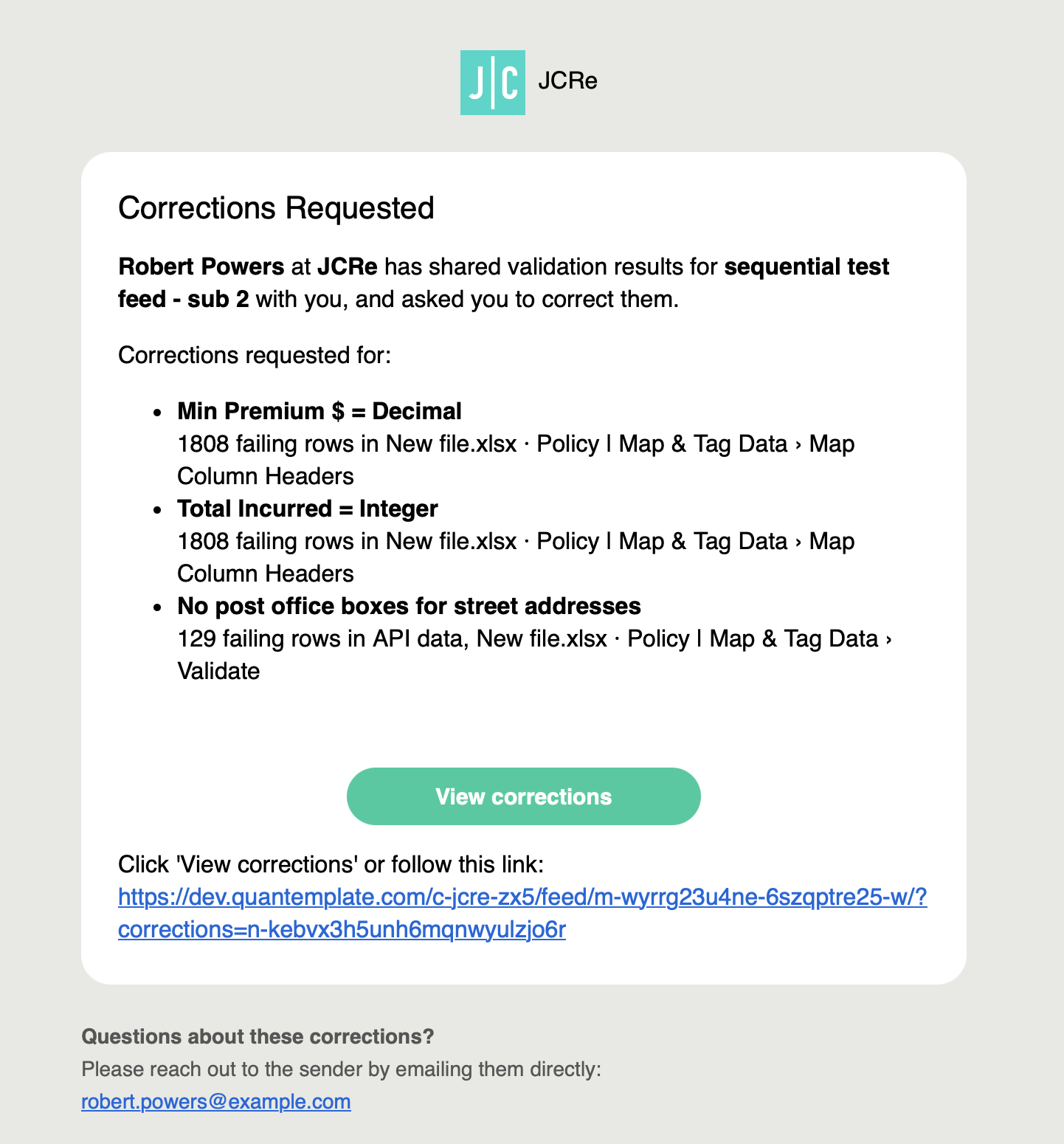
The corrections request email: who shared the validation results, each rule with its count of failing rows and where they are, and a View corrections button linking straight to them.

04 / Sharing

Submit only when ready

Prepare corrections privately, then submit

Corrections pending Submit

04 / Sharing

Give both parties the same measure of progress

Track only the validations that were shared
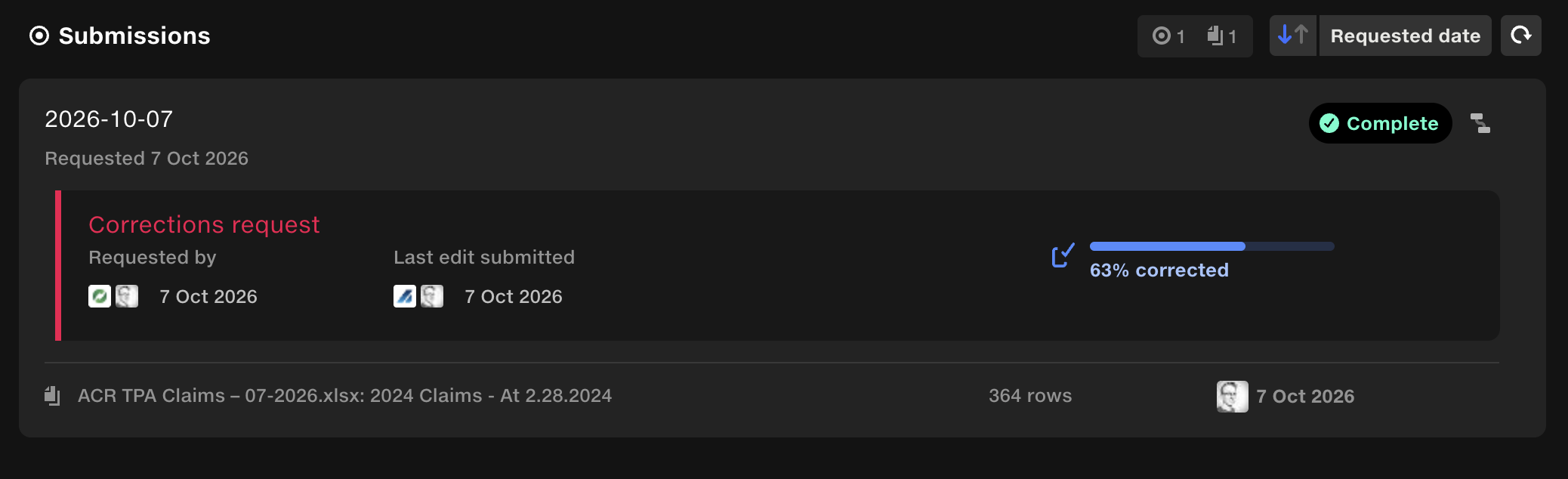
A data submission with a corrections request attached: requested by and last edit submitted, each with the organisation and person, and a progress bar showing 63% corrected.

04 / Sharing

Give both parties the same measure of progress

Track only the validations that were shared
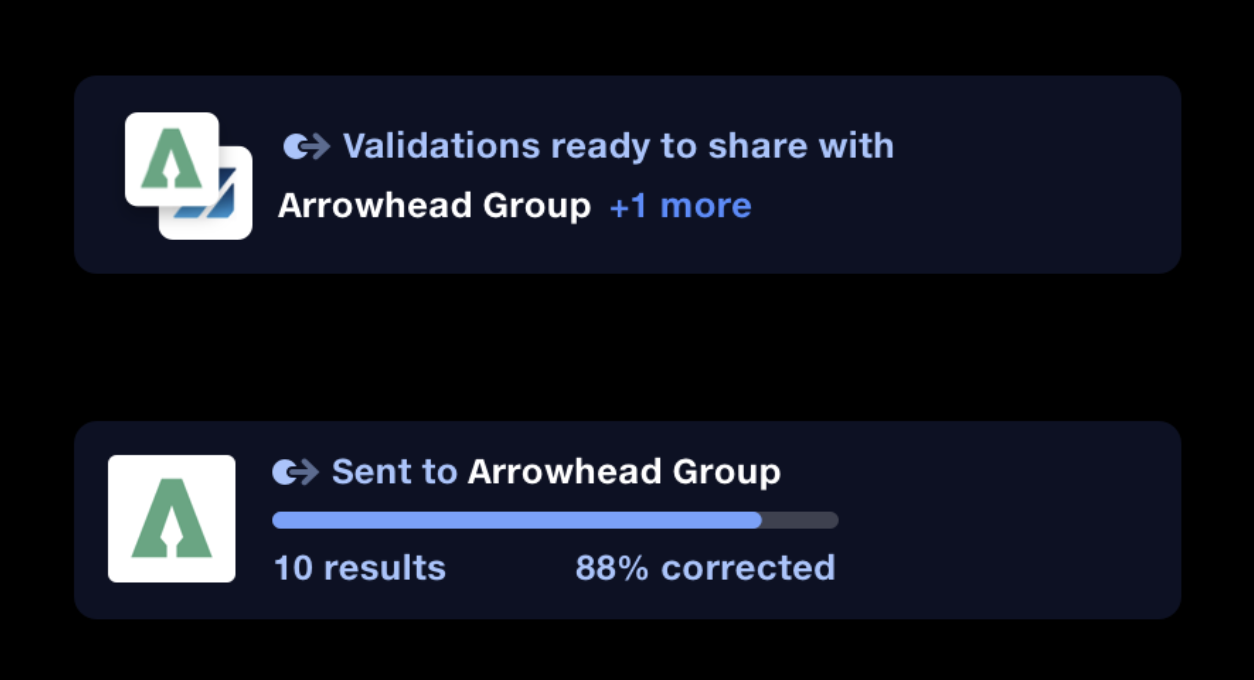
Two notifications: validations ready to share with a partner organisation, and a progress bar on the sent validations showing '10 results, 88% corrected'.

05 / Outcome

Closing the loop

The speed at which we can work now is a real step change. Everything feels much more fluid. I don’t even need to click all the way into the validation to see what I need. The changes have helped tremendously: I know what I need to focus on. Quantemplate user-client at major US insurance carrier

05 / Outcome

23,429 cells corrected

Cumulative corrections · 8 Oct 2026

Cells correctedRules corrected
17/8/2026: 0 rules corrected 21/9/2026: 29 rules corrected 8/10/2026: 39 rules corrected 17/8/2026: 0 cells corrected 21/9/2026: 23,418 cells corrected 8/10/2026: 23,429 cells corrected
JulAugSepOct
Pipeline runs with corrections
27
Cells fixed
23,429
Rules corrected
39

06 / Reflections

Adoption rates

Adoption has been uneven despite support in research. Some clients started immediately; others were reluctant to change a documented system-of-record workflow. This showed that interest in a feature doesn’t necessarily indicate readiness to adopt it.

06 / Reflections

Agentic suggestions

Proposed next step: an agent suggests corrections for human review. Changes proposed by the agent are marked with the cube motif for human review.
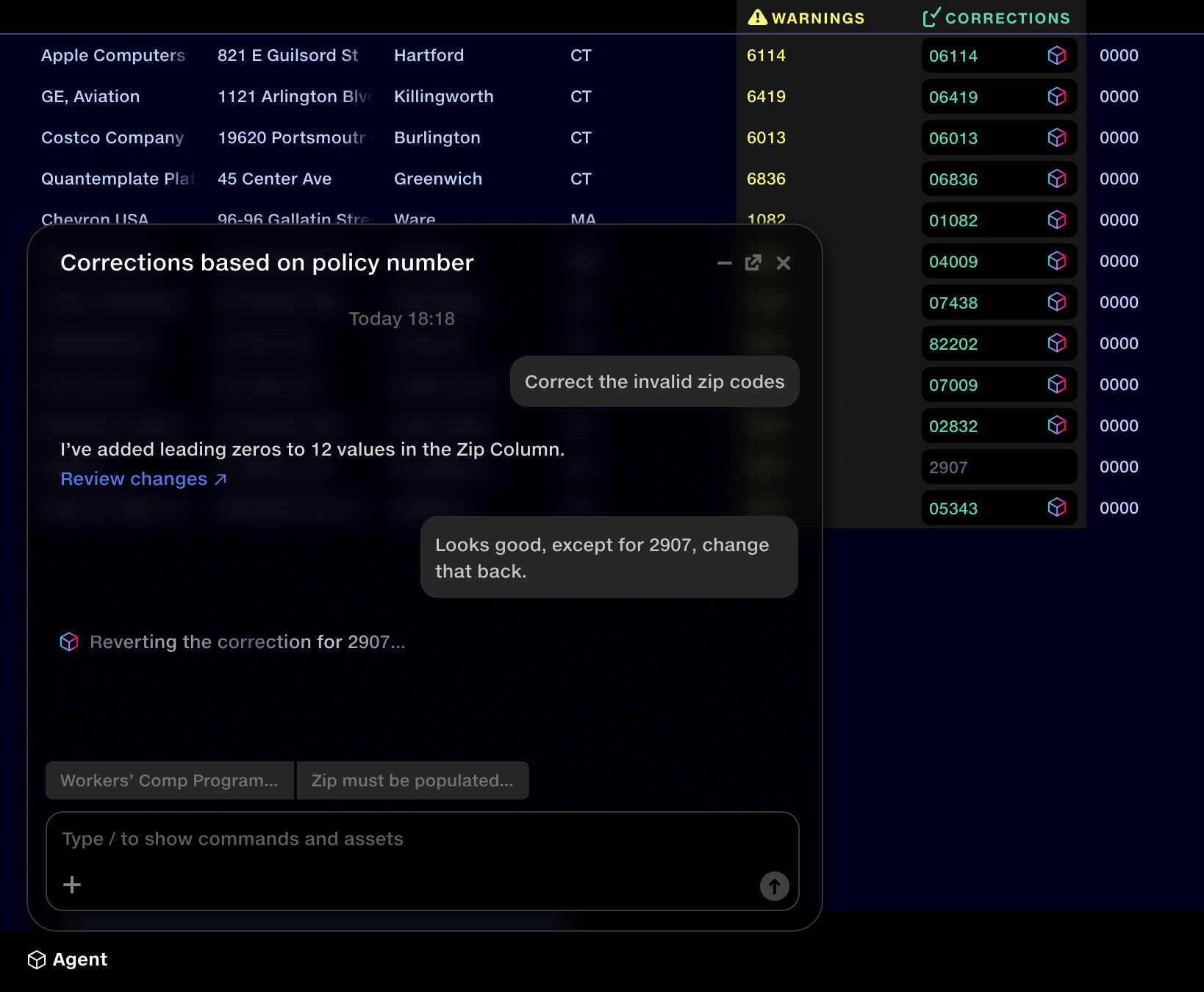
Quantemplate's agent panel over a data table. A user asks it to correct the invalid zip codes; it replies that it added leading zeros to 12 values and links to review the changes. In the table behind, each corrected zip code is marked with a small cube icon. The user then asks it to change 2907 back, and the agent starts reverting that correction.
Evidence

No easy way to fix errors in data

Evidence

Workflow was inefficient at enterprise scale

Usage had outgrown original design intent

Design validation

Make the scope of changes obvious

Make clear which values a correction will affect

We had identified the need for multiple matching conditions, for example to apply one correction across several policy numbers. A walk-through of the design specification with a cohort of expert users confirmed it. Their feedback was that this would be much easier than wrangling Excel-style IF statements, opening corrections up to users with less technical skill.

Engineering constraint

Ordering matters

Let users review and reorder overlapping corrections

Corrections aren’t edits to cells: they’re rules, applied in sequence each time the pipeline runs. When two rules match the same value, the later one wins, so the system can’t settle the conflict on its own. Order had to become something users could see and control.

Design validation

Skip the input drill-down step

Go straight to the first failed input

I reviewed the proposed navigation changes with users in a walkthrough before implementation. No significant issues emerged, and feedback after release confirmed that the changes addressed the navigation friction they had reported.

Evidence

Choose what to share

Select the results, organisations and people

Clients told us they wanted to share their results but were concerned about sharing proprietary data. We addressed this by allowing them to select specific rules to share.

Design exploration

Submit only when ready

Prepare corrections privately, then submit

Exploring the handoff revealed a risk: sending every edit immediately could expose unfinished corrections to the receiver and trigger pipeline runs. I separated preparation from submission, giving suppliers time to check their changes before passing them back.

Design exploration

Give both parties the same measure of progress

Track only the validations that were shared

Not every failure needed correcting, so I explored tracking only checks users had started working on. But starting another check added all its failures to the total, making progress appear to drop.

I kept it simple: show how many corrections had been requested and how many were complete.

Design validation

Show before and after

Keep the original value beside the correction

I tested the prototype with a small cohort of expert users. Testing exposed two issues: users didn’t recognise the correction fields as editable, and adjacent failed columns made it difficult to tell which values belonged together.

I revised the design to give each row a clearly defined entry field, strengthen the link between original and corrected values, and refine the colour palette.