Problem
Hundreds of schemas, no common language
Every month, insurance carriers receive premium and claims data from partner companies, typically 2,000 spreadsheets with 200+ columns each. Structures, formats and field names vary between partners and change over time. Reconciling them by hand is slow, repetitive work where a single mistake can be costly.
Quantemplate standardises this data automatically, every month. The first step is mapping columns to a common schema, so the same information is named consistently across every file.
As the data changes, business analysts must be able to adjust any mapping themselves, without writing code.
Design decisions
Step 1Vertically stacked fields,
aligned to a common master
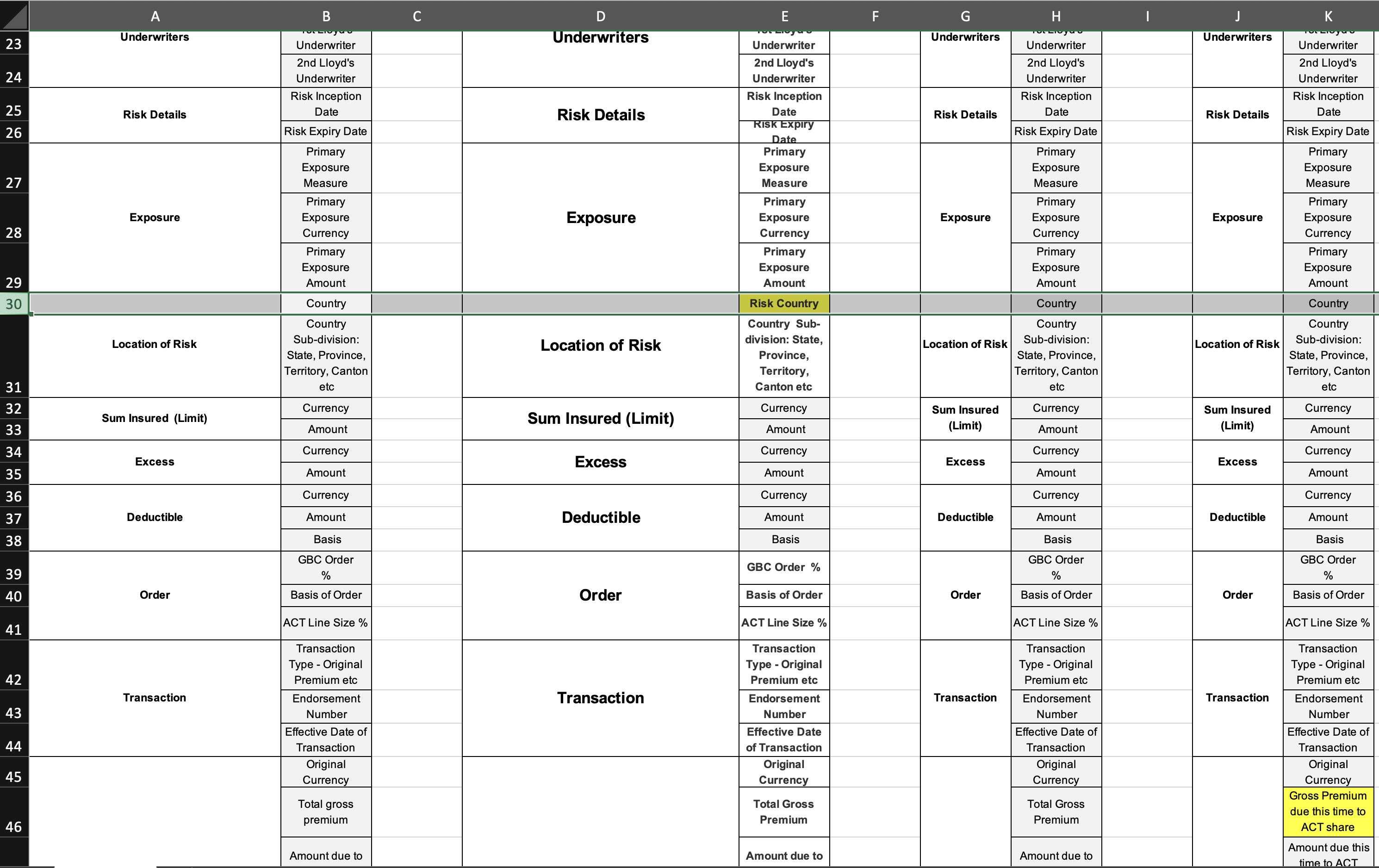
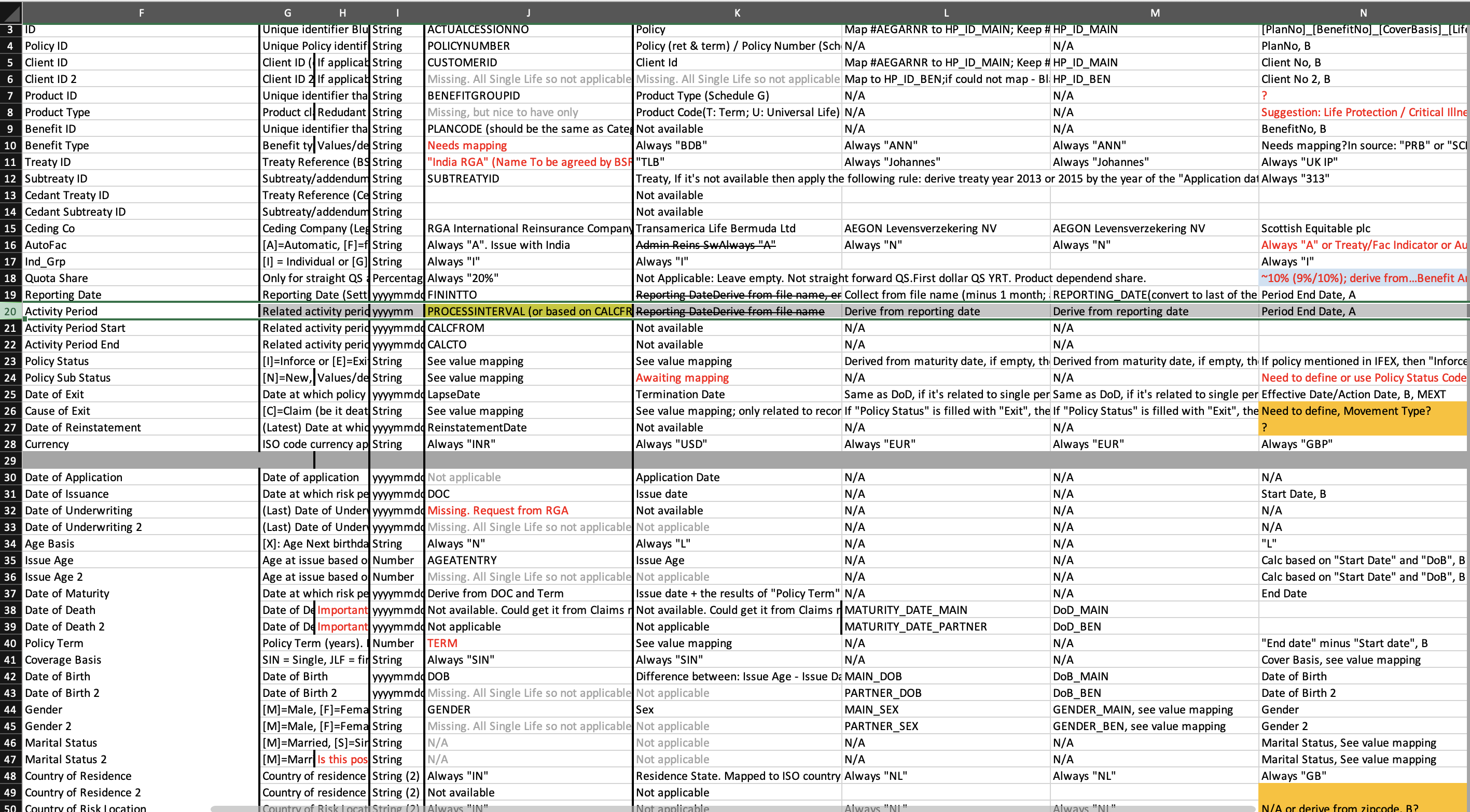
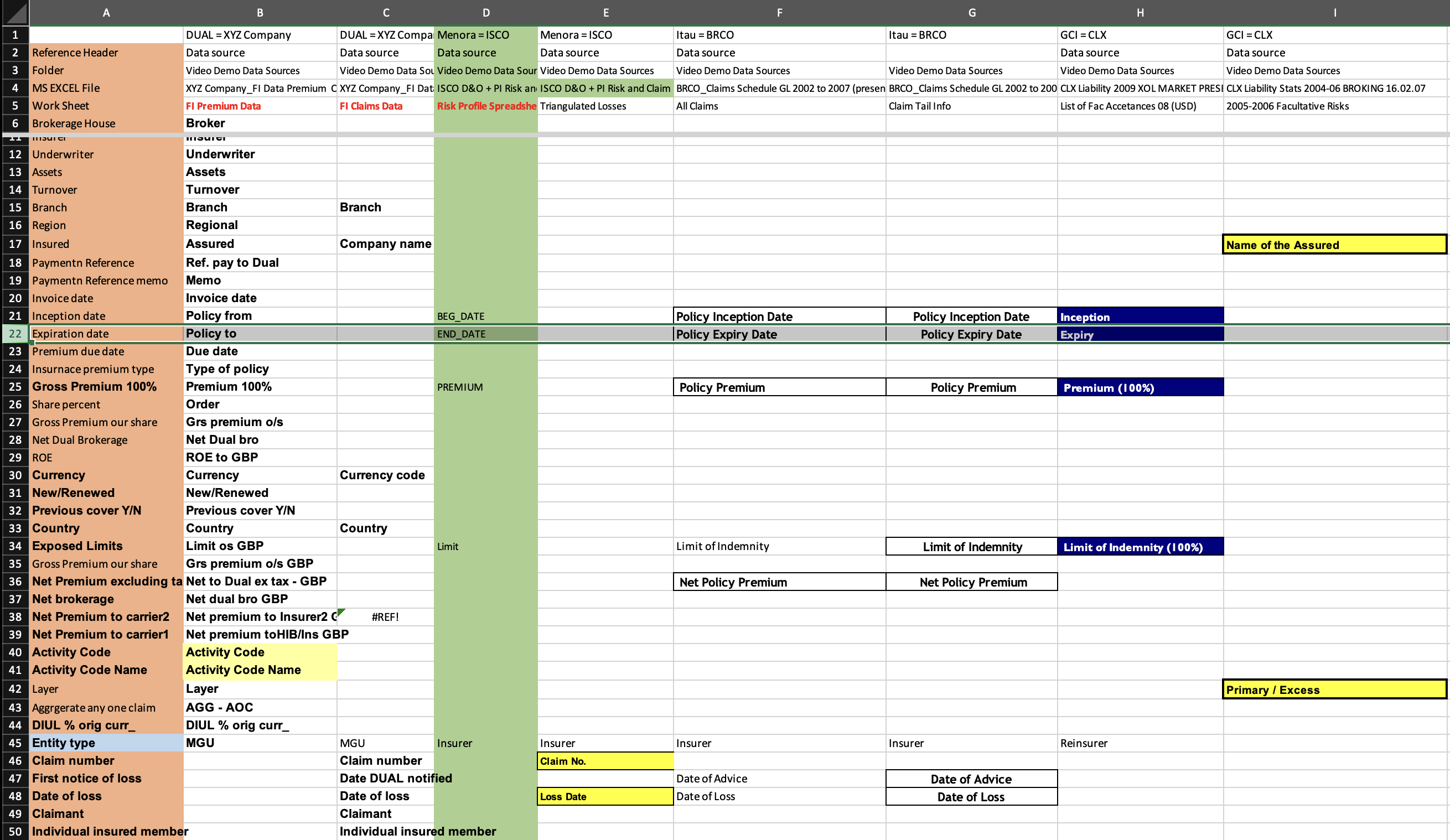
I studied how people were already reconciling different schemas by hand. This provided the key insight: vertically stacked schemas allowed better comparison.

Connecting lines
Lines between each source and the master were hard to follow and couldn’t scale
More
Other tools had tried to solve this problem by connecting lines between the two sources and master. This was hard to understand and could not scale across the dozens of source schemas seen in this use case.

Aligned schemas
Fields stacked vertically, every schema aligned to one master
More
Instead, a concept emerged directly from the research: an interface with vertically stacked fields, across which multiple schemas could align to a common master.

Mapped and unmapped tabs
Separating the two doubled the schemas that fit in the view
More
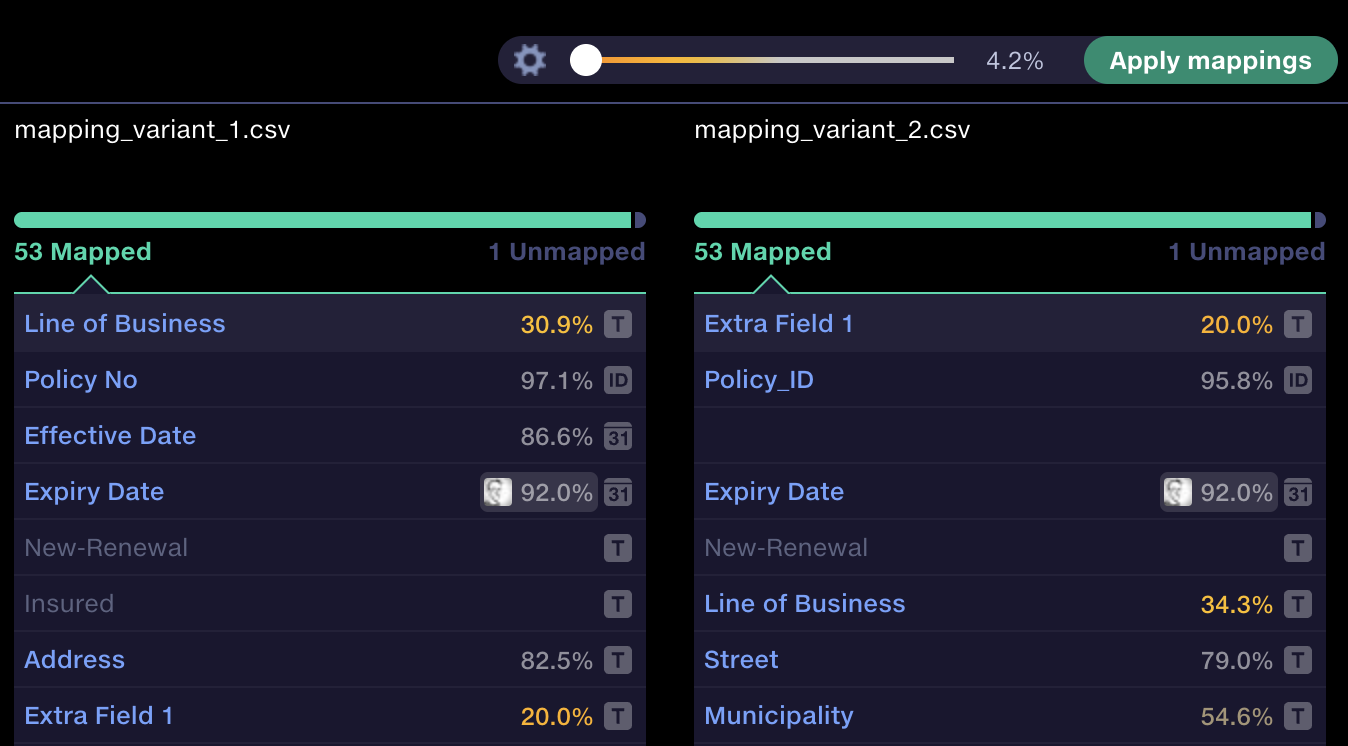
The key innovation was separating mapped and unmapped fields into mutually exclusive tabs for each schema. This made it easier to spot gaps and keep track of unmapped items, whilst a progress bar indicated the completeness of each schema.
Combined tab/progress bar
Shipped interface
Once source schemas were mapped in, the mappings were retained. And if a new variant came in next month, it was just a couple of clicks to get it mapped in.
Step 2AI suggestions users could trust
For every unmapped field, Quantemplate’s matching engine generated suggestions to map to the master schema. The next step was to automate this across all columns and multiple sources. With just one click, top-ranking suggestions above a user-set threshold could be mapped at once.
Make uncertainty visible
Yellow highlights and avatars show which suggestions need a closer look
More
The upgraded model produced useful suggestions at confidence thresholds as low as 30%, compared with around 80% for the previous model. Lower-confidence mappings needed closer review.
I introduced a yellow highlight gradient to draw attention to these mappings. Users could inspect sample values and a data profile to judge whether a match was appropriate.
I used avatars and recency information to show who had made a previous mapping and when. The aim was to build trust by making the human judgement behind a suggestion visible, giving users more context to decide whether to reuse it. This approach aligns with research on social transparency in AI-assisted decisions.
Design validation
The yellow gradient performed best among the colour options I tested, including in colour-blindness simulations and testing with a user with colour vision deficiency.
Step 3From column names
to column contents
The original interface had served clients well, but its algorithm relied on column-name similarity and previous mappings. Understanding each column’s contents could produce more accurate matches to the master schema.
In 2026, we ran a project to identify each column’s data type and profile its contents, creating a data fingerprint for every field.
In the UI, I showed the data types, allowing users to click in and see a data profile for each column: sample values, uniques, distribution, statistics and lineage.
Evaluating the new mapping model
In my LLM-assisted assessment across four demanding schema variations mapped to Lloyd’s v5.2, the new model achieved approximately 12% higher overall match quality and around 73% fewer semantic mapping errors.
73% fewer semantic mapping errors
Semantic mapping errors across 207 columns · lower is better
Outcome
Less manual work. Better mappings.
Column mapping became a core part of clients’ workflows, with the recent model upgrade improving mapping quality.
- Consistently cited as a reason for choosing Quantemplate in sales win analysis.
- Automated column mapping for an average of 2,000 files per customer each month. After initial setup, mappings only need attention when incoming schemas change.
- 73% fewer mapping errors in evaluation of the upgraded model.
Next case study
 Validation
Closing the loop on data quality
Lets users fix data errors in place with a full audit trail. 830k cells corrected and step change in speed of work.
Validation
Closing the loop on data quality
Lets users fix data errors in place with a full audit trail. 830k cells corrected and step change in speed of work.