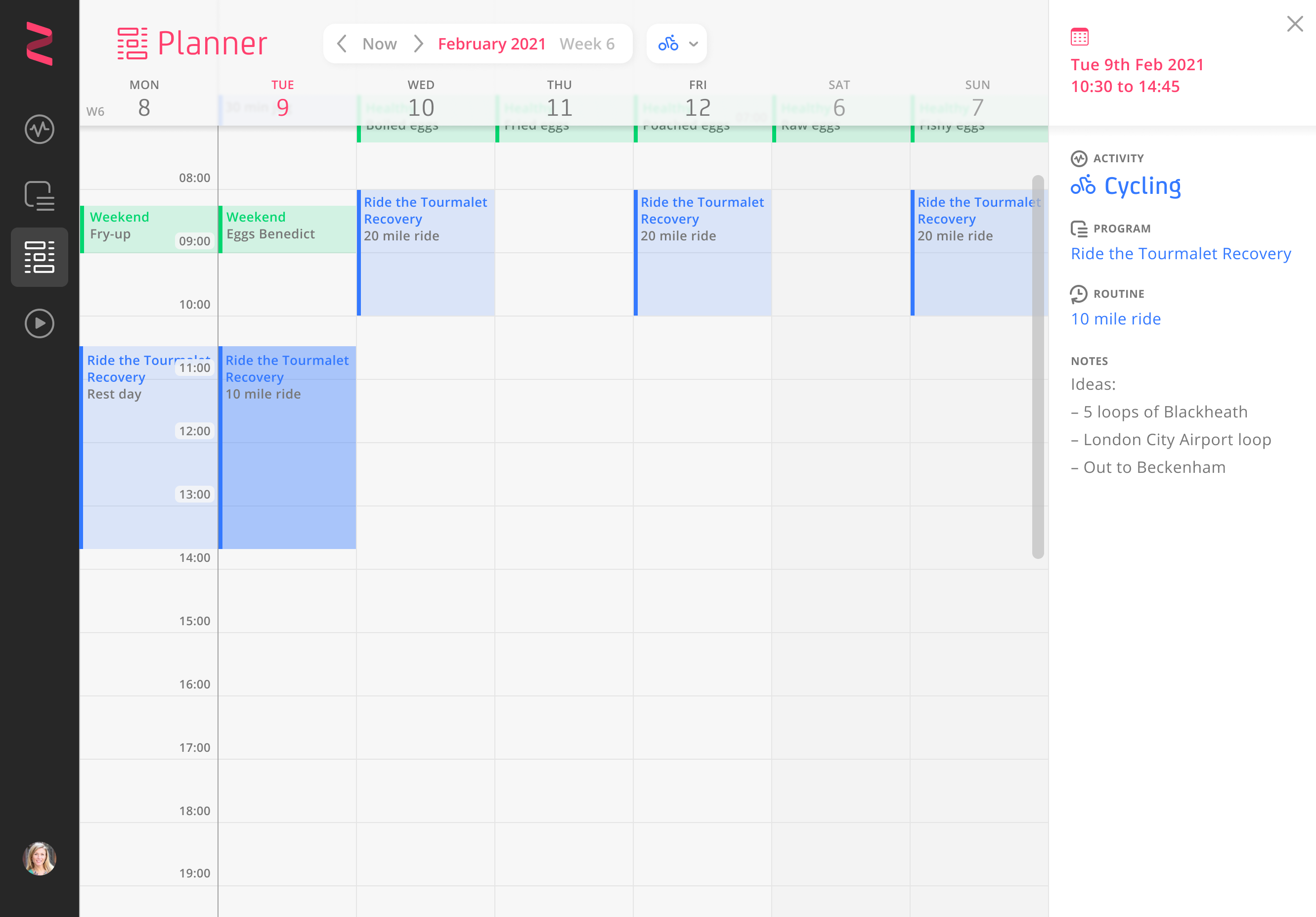

Zonefully’s Planner: a week of cycling rides and weekend breakfasts laid out on the calendar, with a side panel naming the activity, programme and routine for the selected ride.

Connecting long-term goals to everyday routines

A planning app that connects personal goals with recurring routines and a calendar to put them into practice.

Watch the demo Try some interactions

Role

UX and UI design
Logo

Team

Working directly
with the founder

Timeframe

10 days / 2021


About

Connecting the bigger goal to the next action

Zonefully’s founder had developed a conceptual model for connecting long-term goals with recurring activities. He brought me in to turn that model into a usable interface.

Activities represented the things people wanted to plan and track.

Programmes grouped Routines into sequences.

Routines could then be applied to a calendar view, called the Planner.

For a cycling goal, that could mean training and recovery programmes containing individual rides and rest days. The design challenge was to make that hierarchy usable: people needed to work on an individual routine, understand how it fitted into a programme, and see where it belonged in their calendar.

1 minute demo


Design decisions

Expanding cards and layers

Connected, expanding cards kept routines alongside their parent programme. Activity colours and breadcrumbs showed where each item belonged, while prompts guided people through creating a programme.
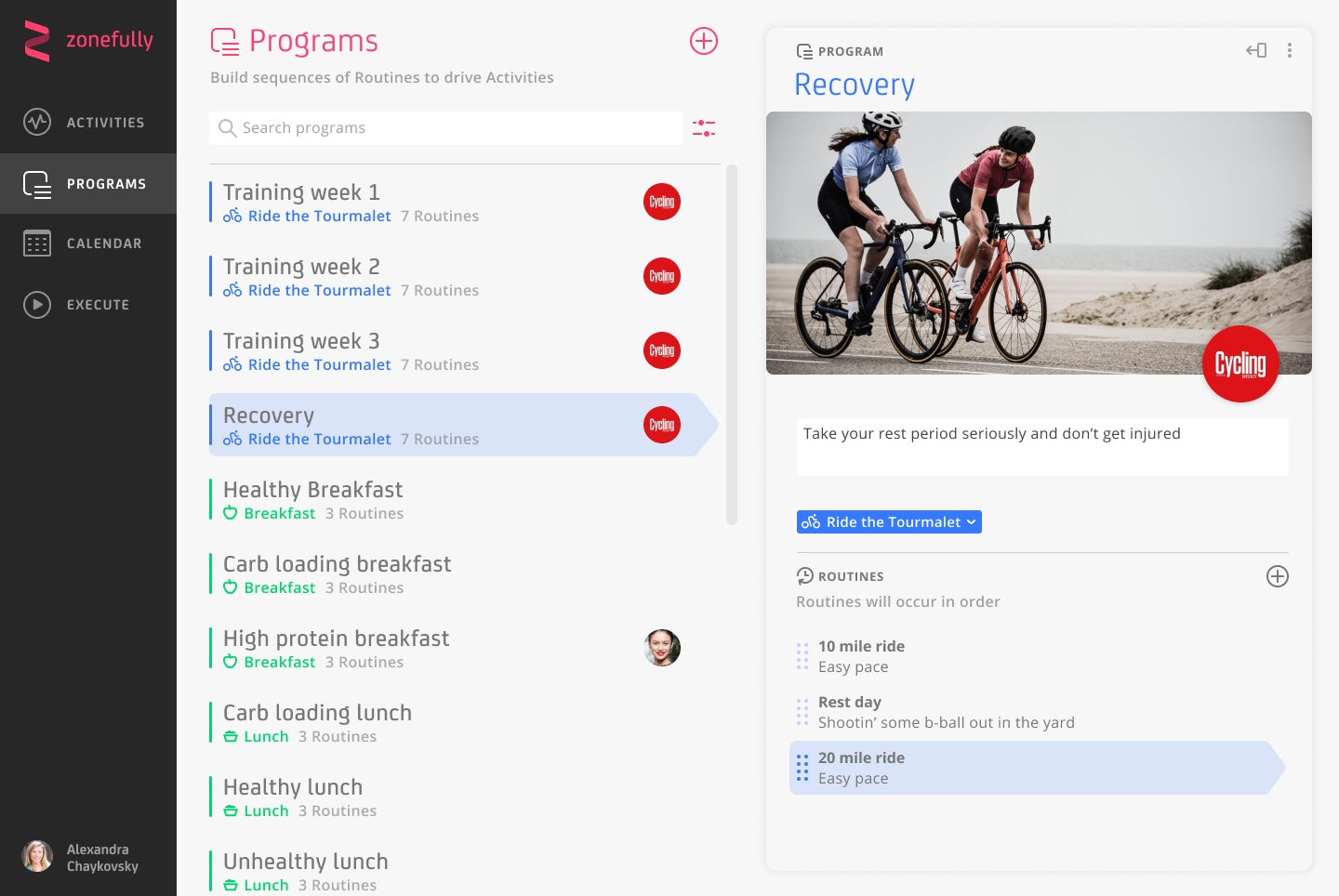
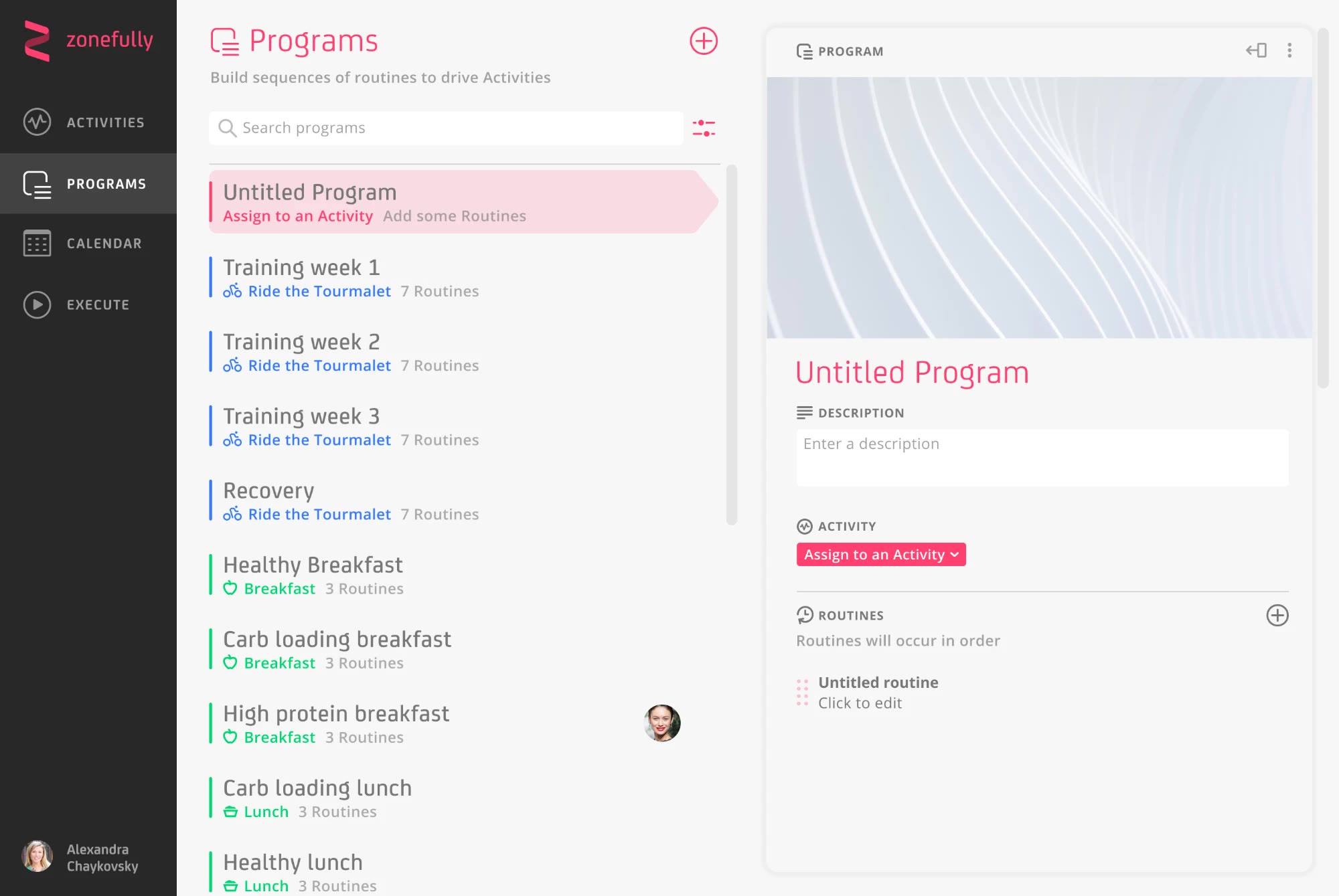
Zonefully’s Programs screen: a searchable list of programmes on the left, and the selected programme’s detail — cover image, activity and ordered routines — on the right.
Programme list and detail share one spacious structure; the activity colour and selection highlight tie a programme to its routines.
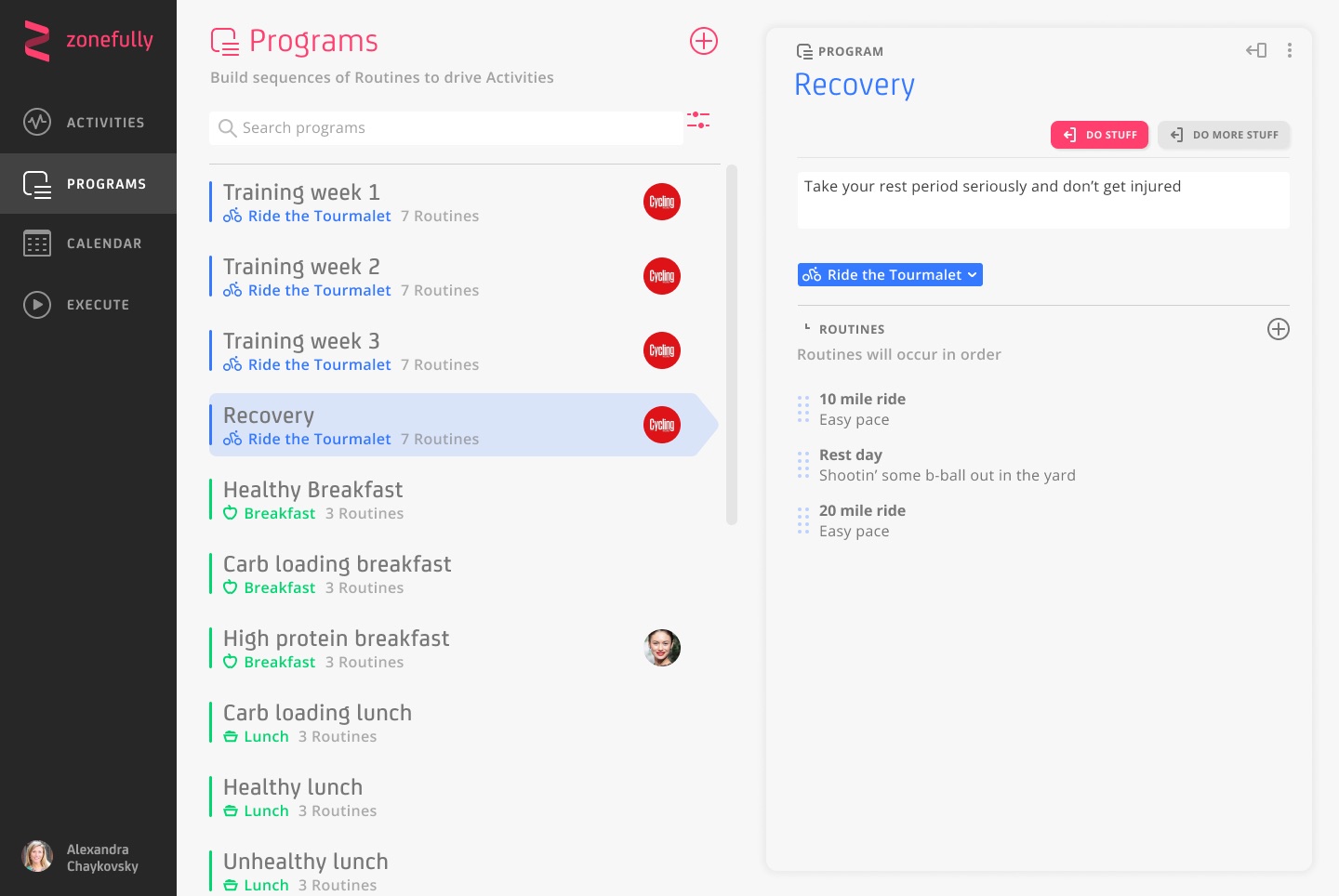
A variant of the programme detail without a cover image, with the contextual action controls placed in a row at the top of the panel.
One of the explorations of where the programme’s controls sit, keeping them reachable without crowding the layout.
A newly created ‘Untitled Program’ selected in the list and open in the detail panel, with an empty description, an ‘Assign to an Activity’ button and a first untitled routine ready to edit.
A new programme starts with the next steps spelled out: assign it to an activity, then add some routines.
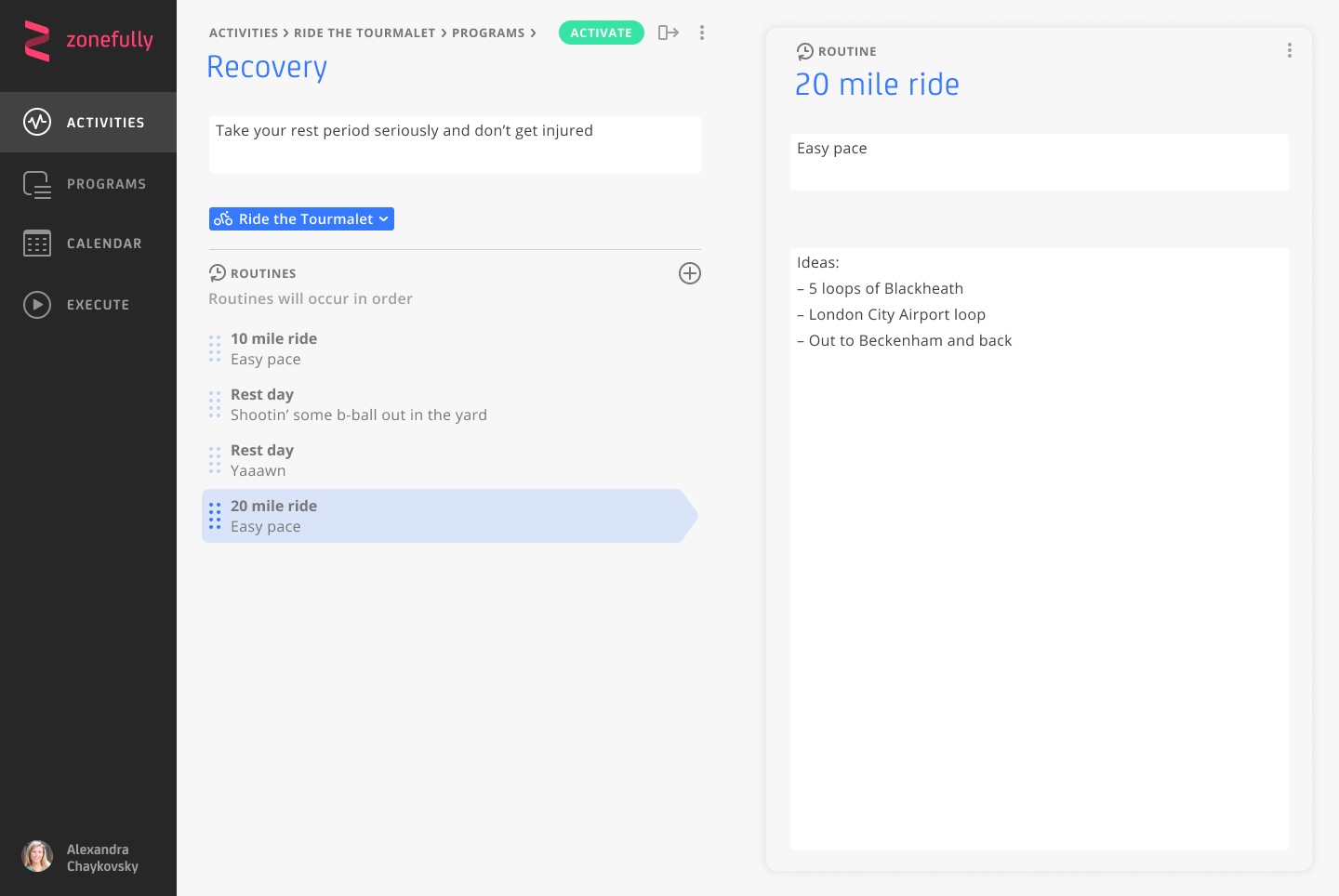
A routine opened for editing alongside the programme it sits in, with a breadcrumb reading Activities › Ride the Tourmalet › Programs.
Opening a routine brings its detail into focus without losing the programme it belongs to; the breadcrumb holds the path back.
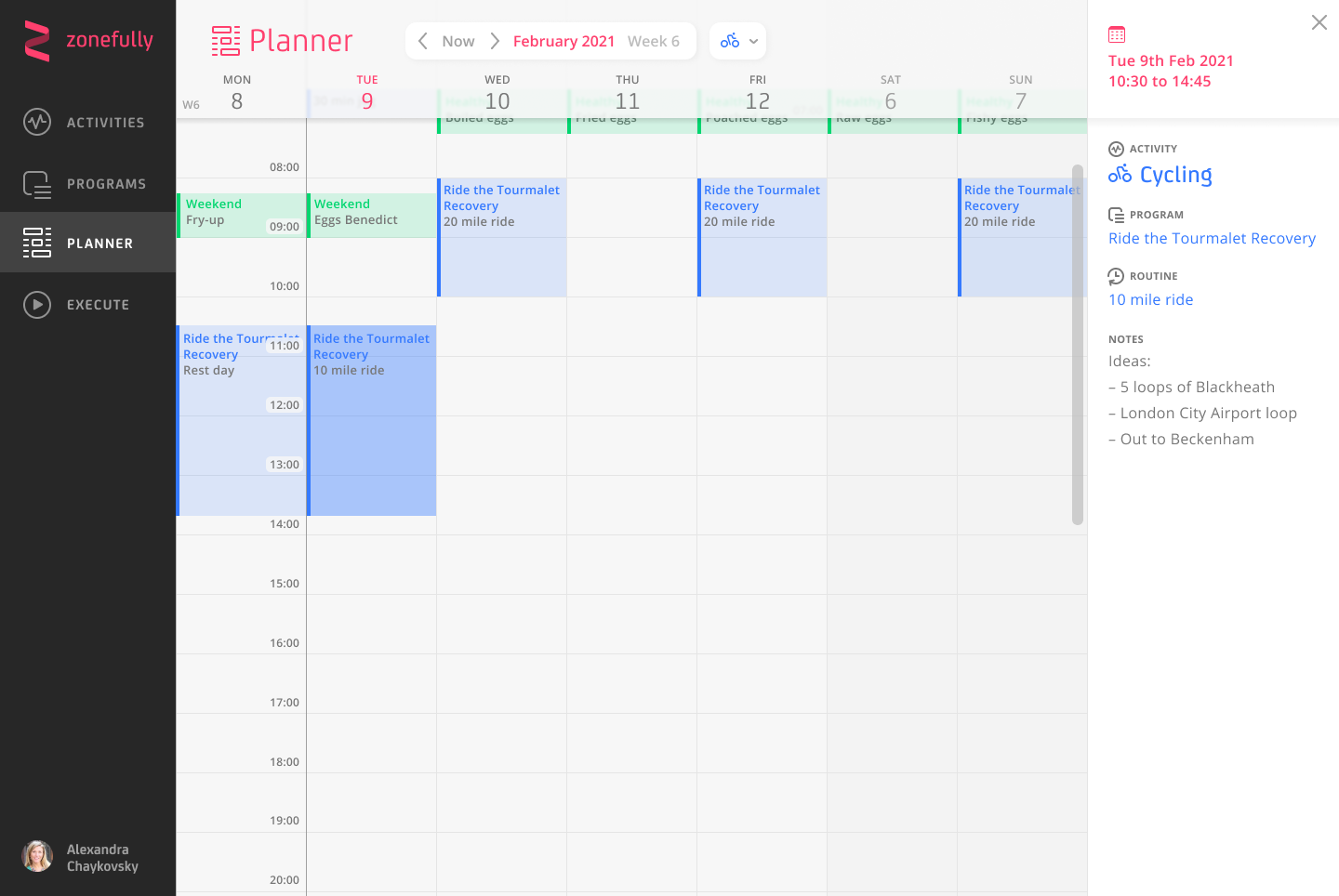
Zonefully’s Planner: a programme’s routines laid across a week, with a side panel naming the Activity, Programme and Routine for the selected slot.
A programme’s routines placed on the calendar, with the chain from activity to programme to routine kept in view.

Design details

Try some interactions
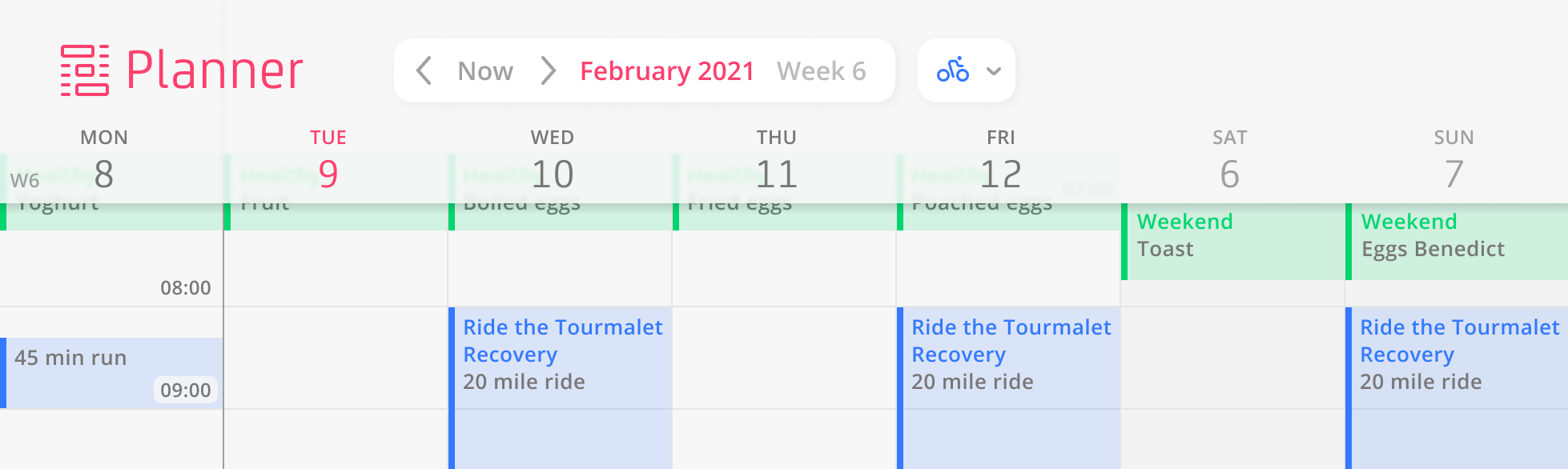
The Planner’s week view: rides from the Ride the Tourmalet Recovery programme and weekend breakfasts placed across the days, with the week picker and an activity filter above.
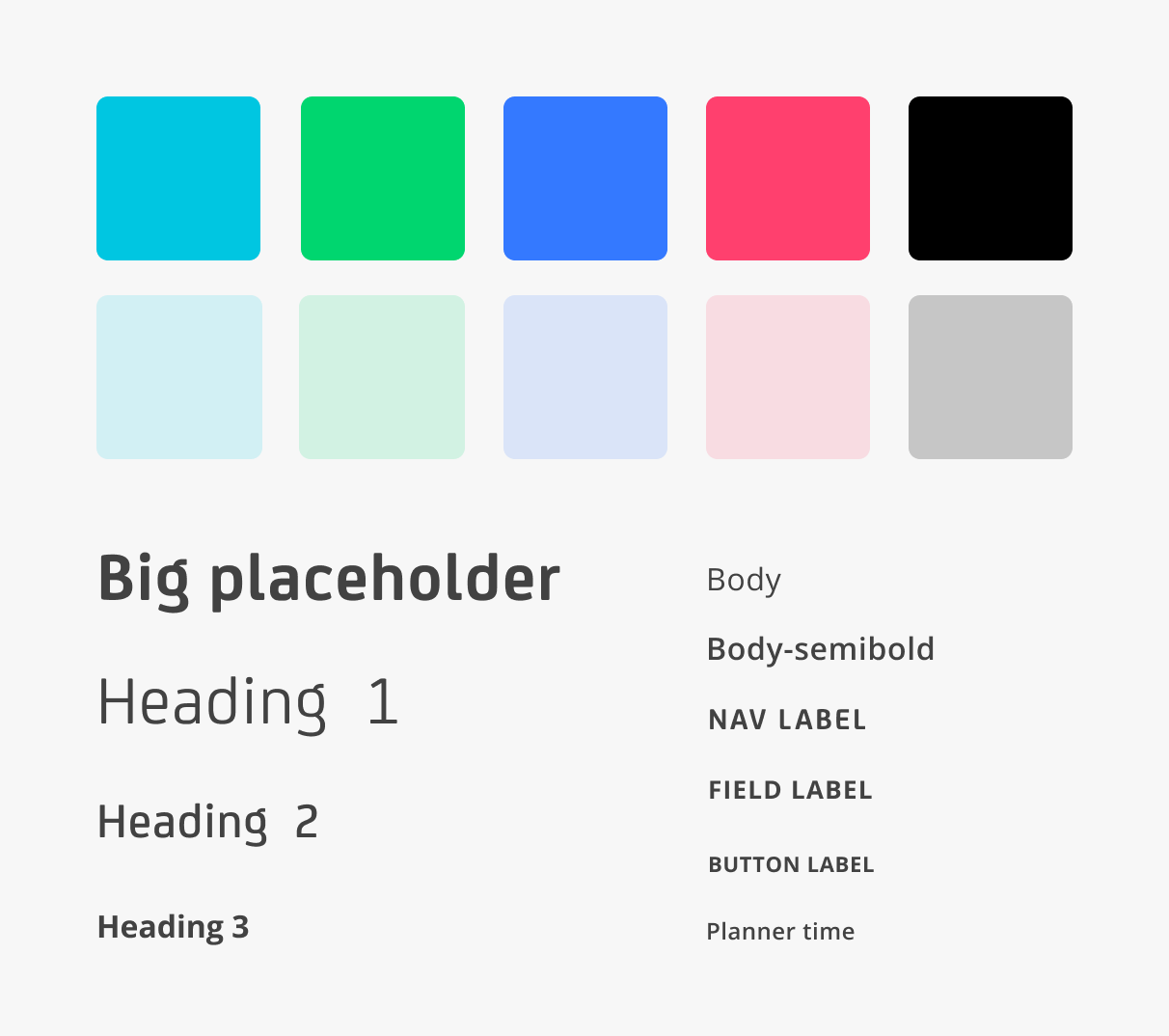
Zonefully’s colour palette, with cyan, green, blue and pink accents and their pale tints, alongside the typography hierarchy.

Back to top