Problem
We’d made errors easy to spot, but fixing them was hard
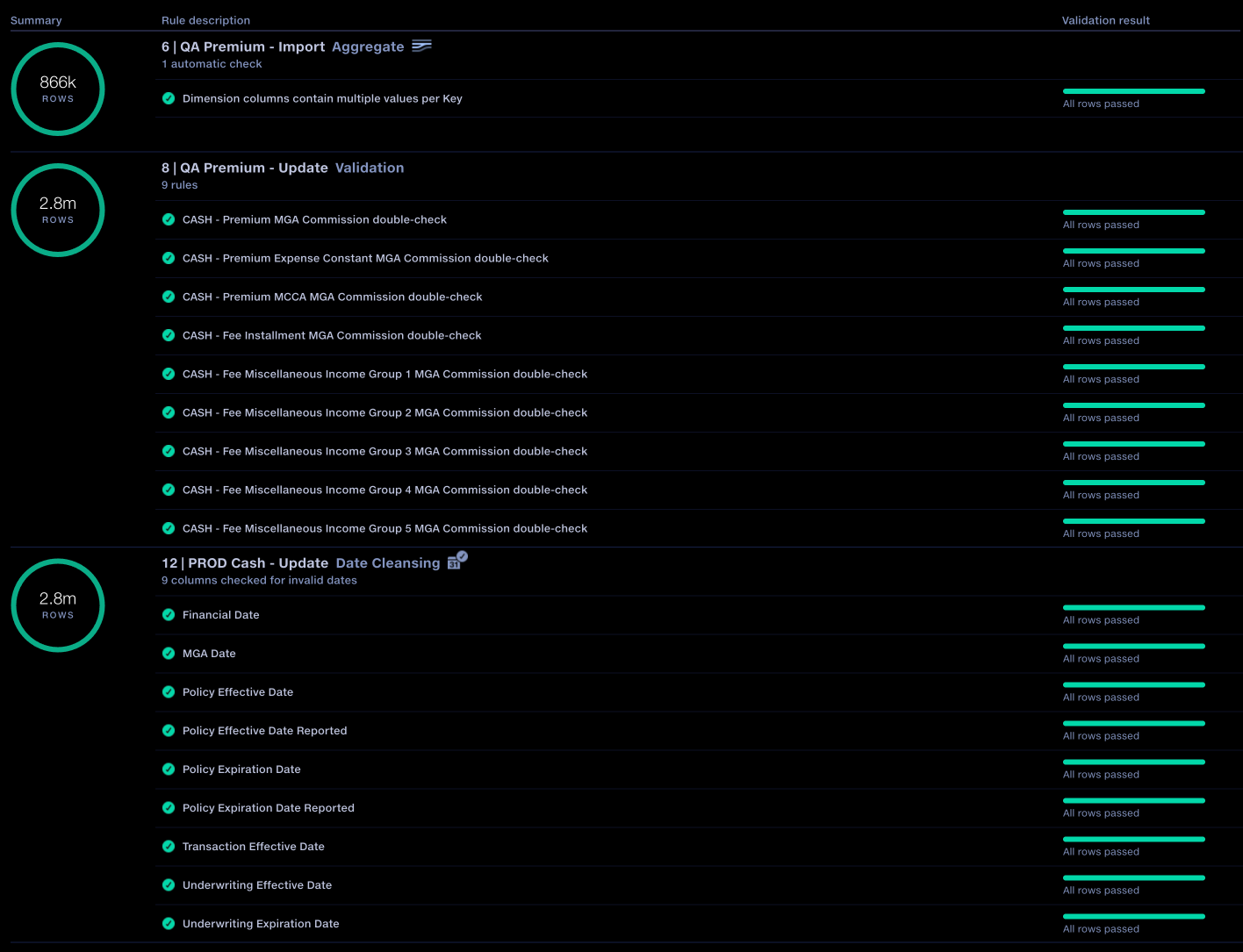
Quantemplate takes data from hundreds of suppliers, harmonises them into a consistent format and flags errors. These could be simple things like an invalid date, or more complex business rules.
Quantemplate had a validation report that gave business analysts row-level reporting of their data. But making a correction meant writing custom rules in the upstream process. We’d also introduced automated validation checks, and now clients had hundreds of them. The original validation report didn’t scale well to this usage and the workflow had become inefficient.
Design decisions
Step 1Improve the workflow
With hundreds of rules in a single pipeline, every extra step between finding a failure and fixing it was repeated hundreds of times. I streamlined the route through the report by compacting navigation steps and filtering out surplus information.
Skip the input drill-down step
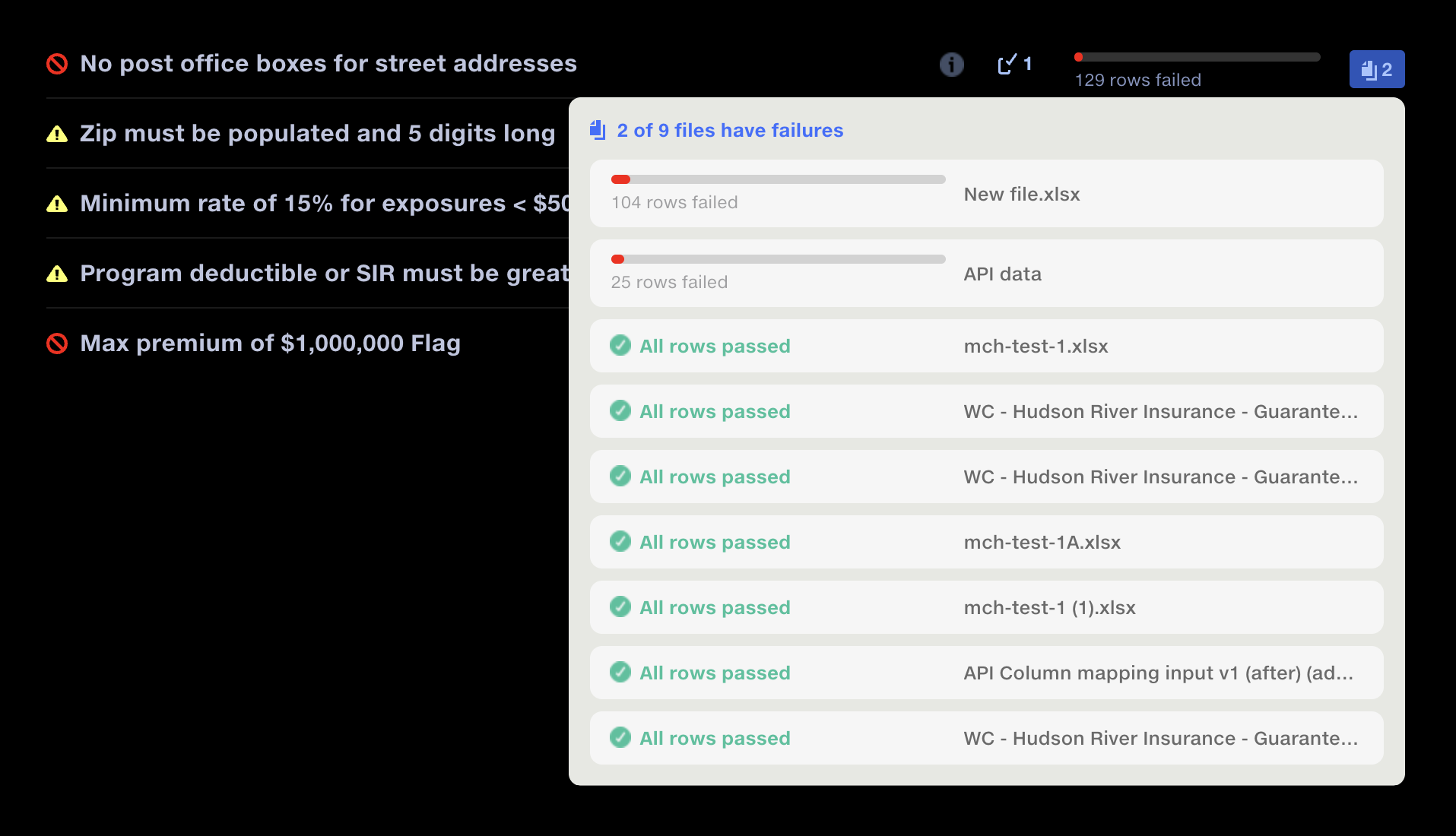
Go straight to the first failed input
More
Knocking out the intermediate step for reviewing multiple input files takes the user straight to the data grid of the first failed input. Popups let them switch between inputs without leaving the grid, or jump to a specific input straight from the top-level view. The popup gives an indication of the number of failed rows within each input.
Design validation
I reviewed the proposed navigation changes with users in a walkthrough before implementation. No significant issues emerged, and feedback after release confirmed that the changes addressed the navigation friction they had reported.
Add direct rule navigation
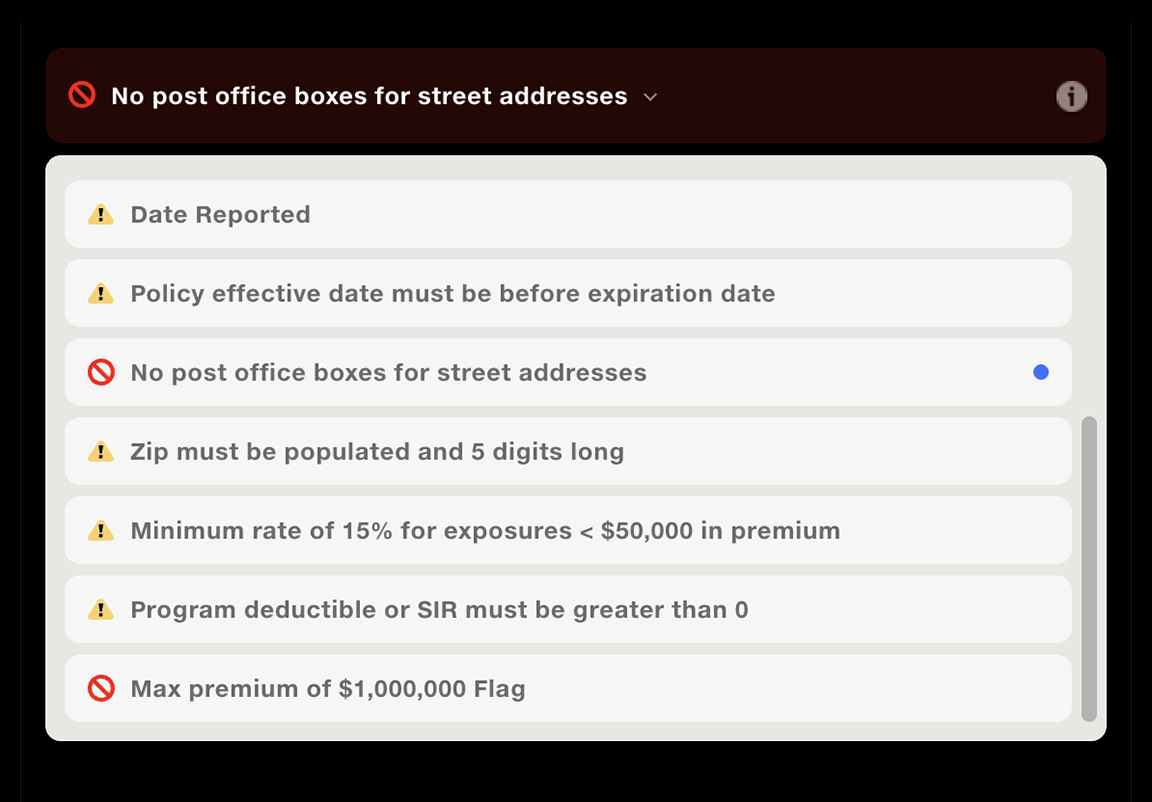
Move between rules without leaving the grid
More
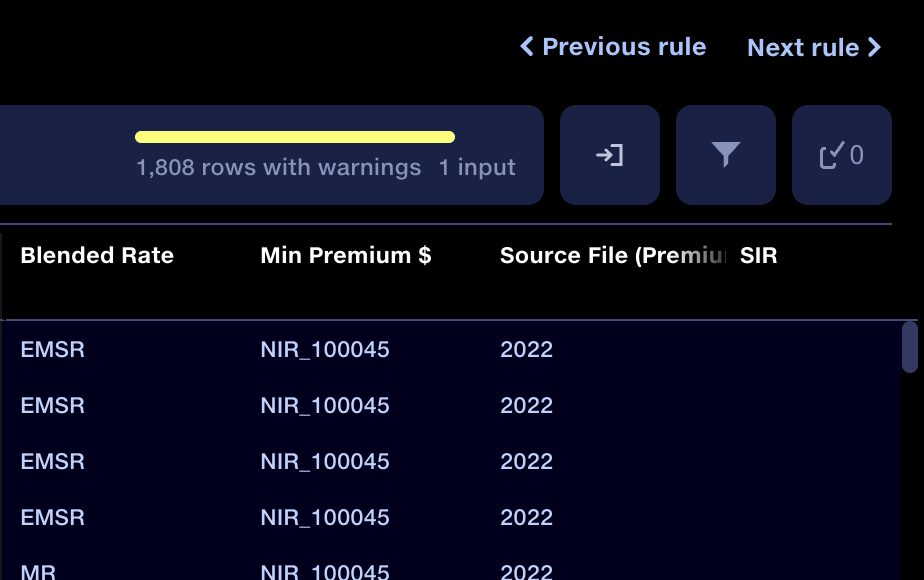
Adding buttons to navigate between rules within the data grid view, without returning to the report, removed three fiddly steps from the user’s workflow. Multiplied over hundreds of validation rules every month, that’s a significant time saving.
A rule navigator also allows instant navigation between any rule.
Step 2Fix errors where you find them
Correcting errors in the data was not as simple as it sounds. Rather than editing cells, Quantemplate pipelines apply batch changes to the data using rules, and these rules needed to be applied at the point the data was checked. Five design principles underpinned the solution.
Show before and after
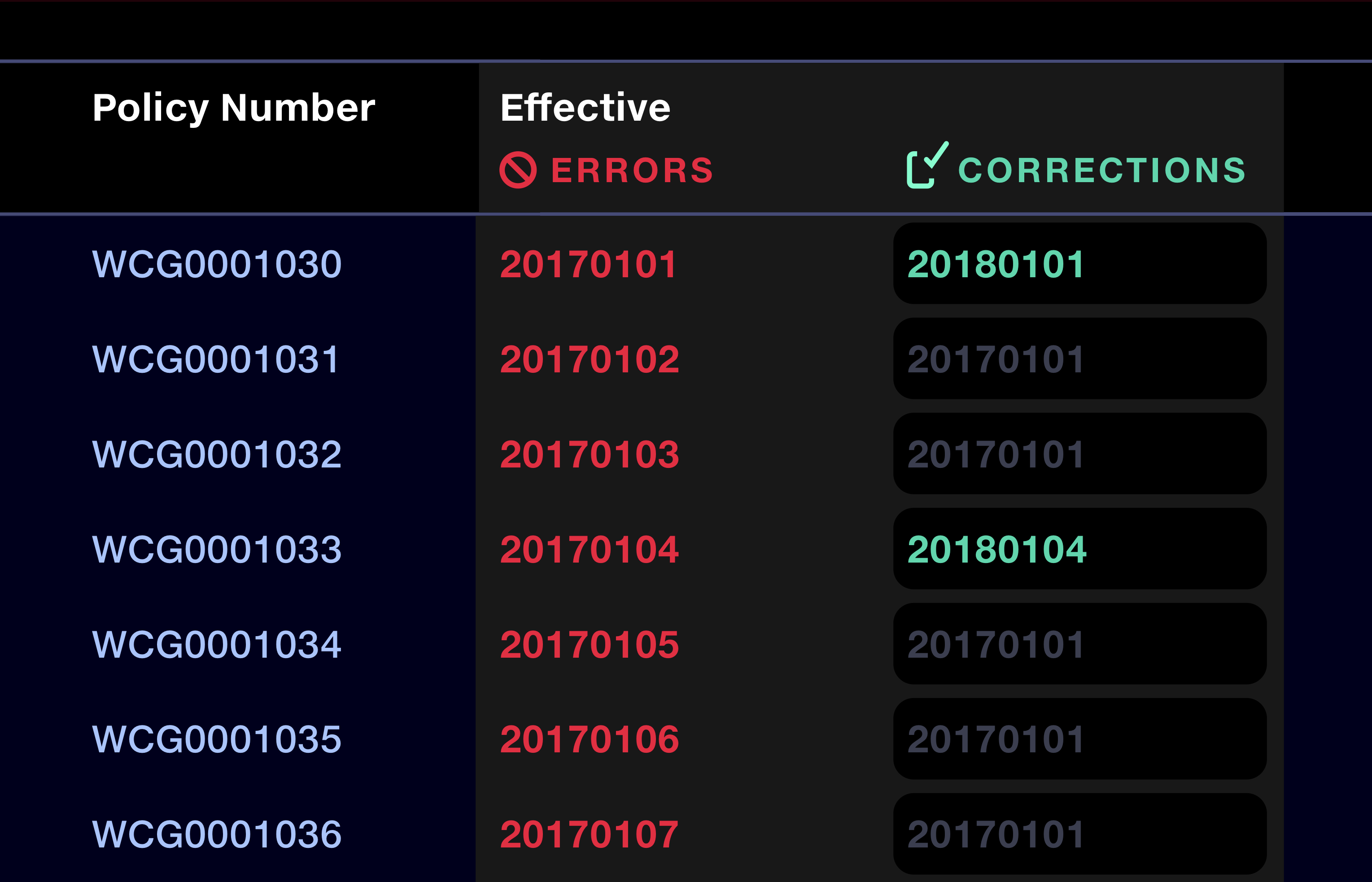
Keep the original value beside the correction
More
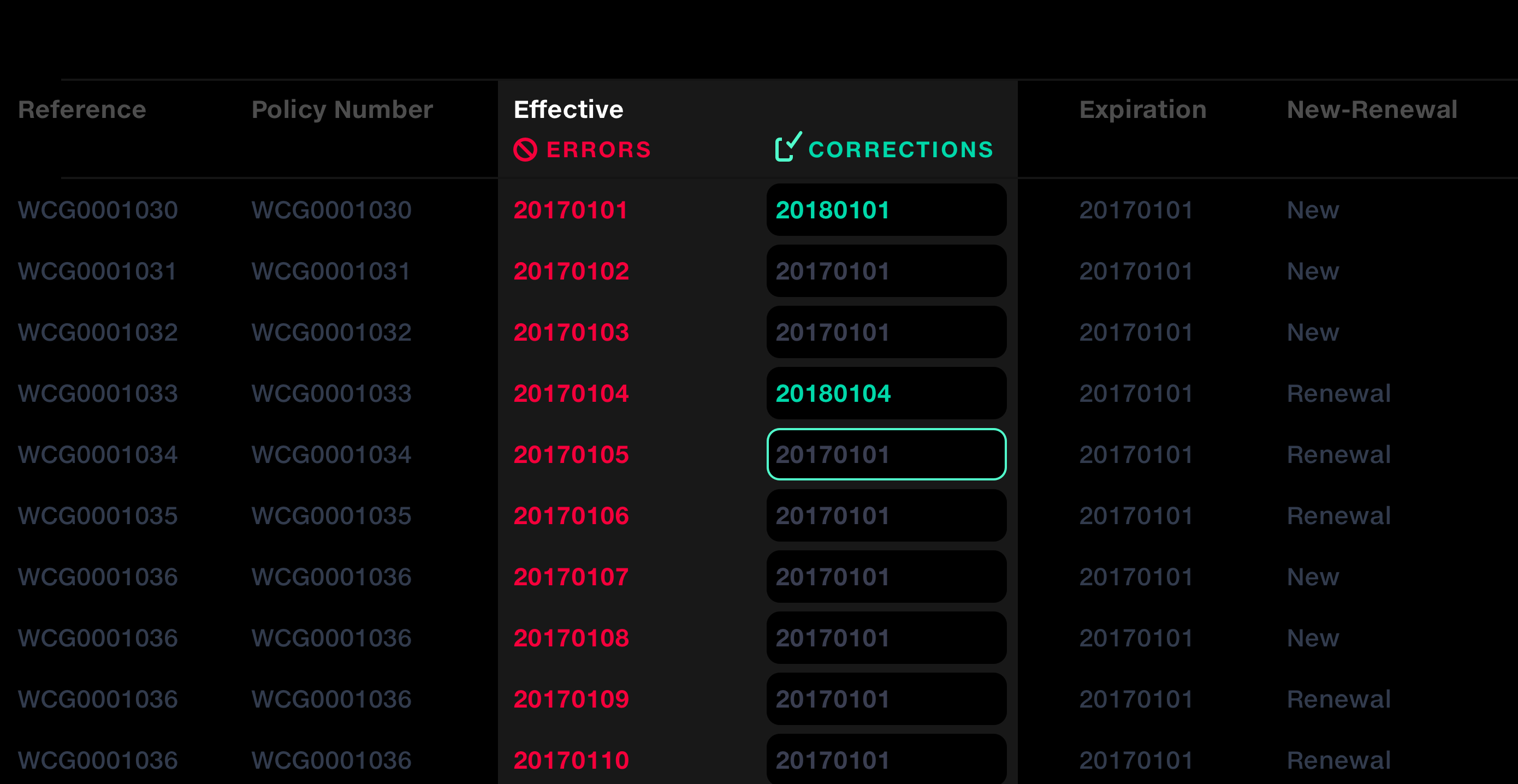
Corrections are shown beside the original submitted values. I chose this side-by-side layout to preserve the source data and make it clear that users are creating a mapping, rather than editing the original cell.
Corrected values stand out in bright green. If no correction has been applied, the placeholder text shows the current value. This helps the user understand exactly what the output data will be.
Design validation
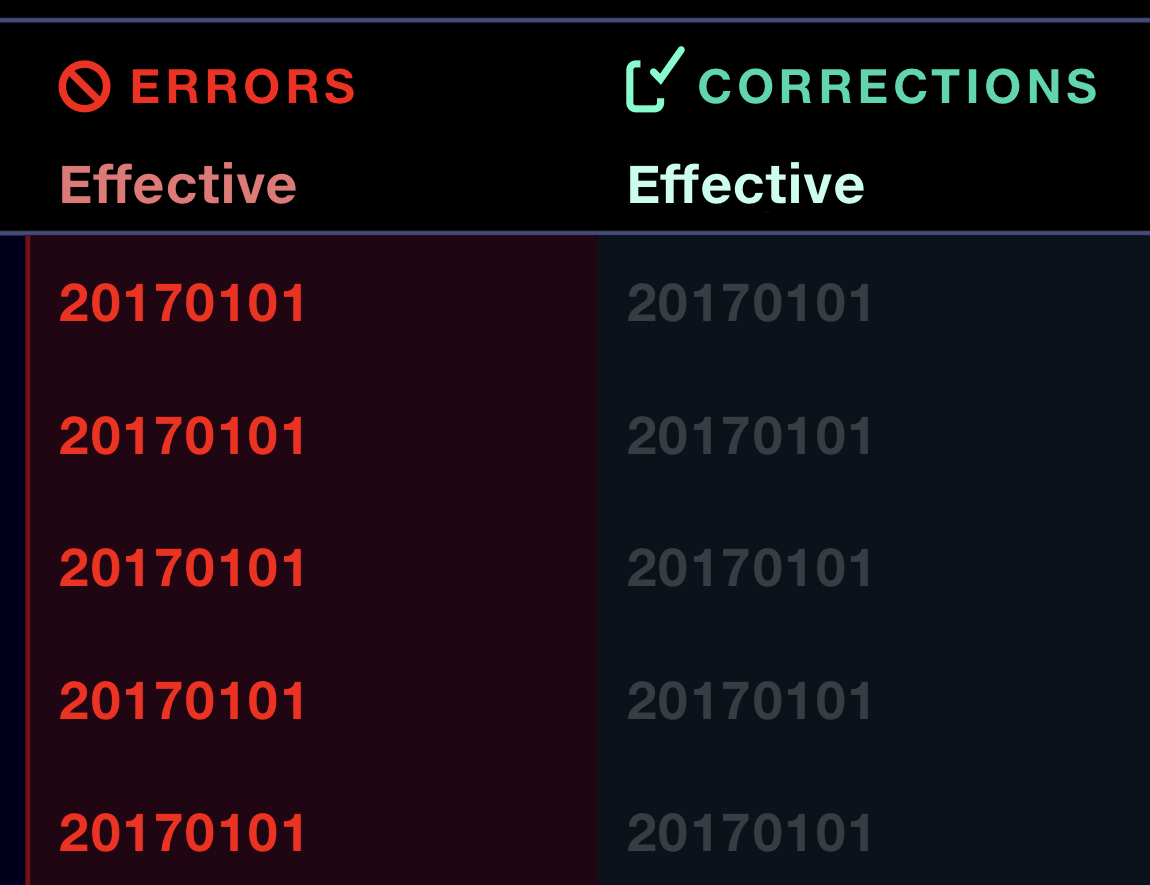
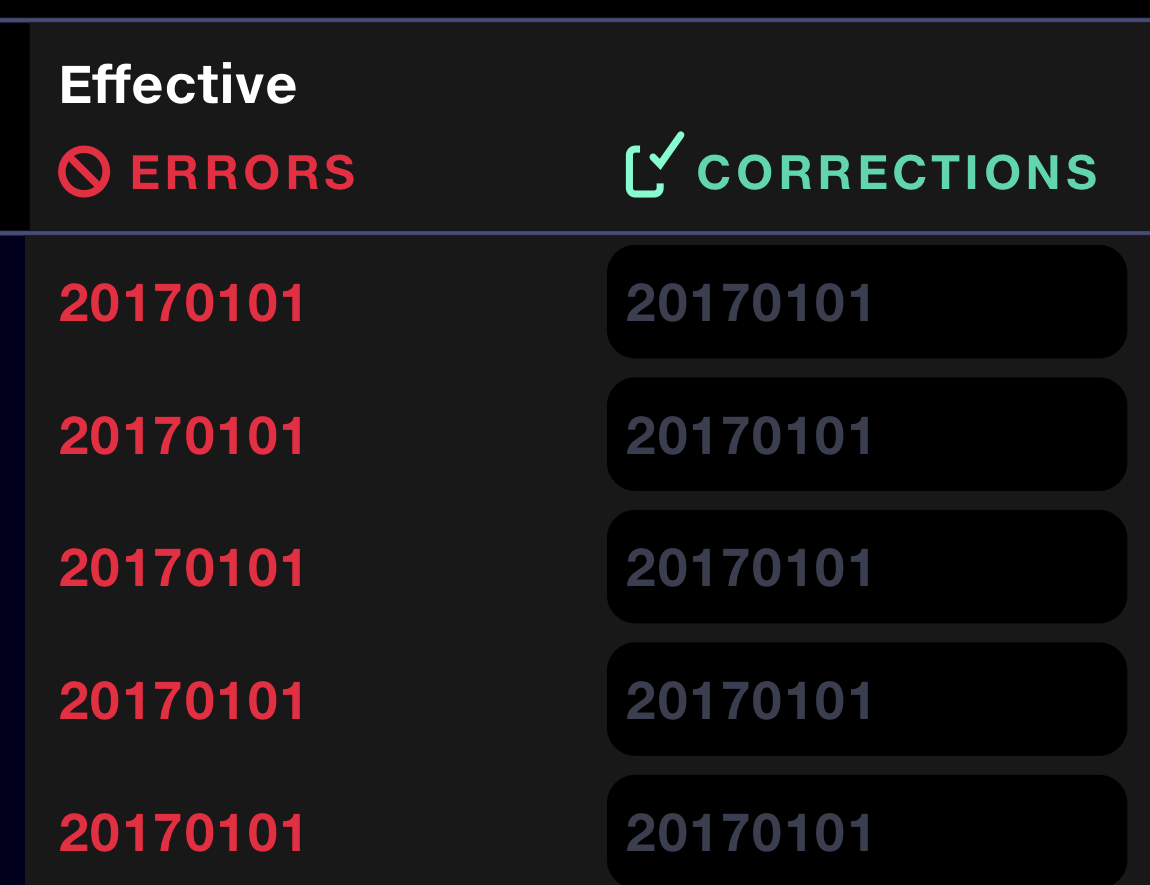
I tested the prototype with a small cohort of expert users. Testing exposed two issues: users didn’t recognise the correction fields as editable, and adjacent failed columns made it difficult to tell which values belonged together.
I revised the design to give each row a clearly defined entry field, strengthen the link between original and corrected values, and refine the colour palette.
Make the scope of changes obvious
Make clear which values a correction will affect
More
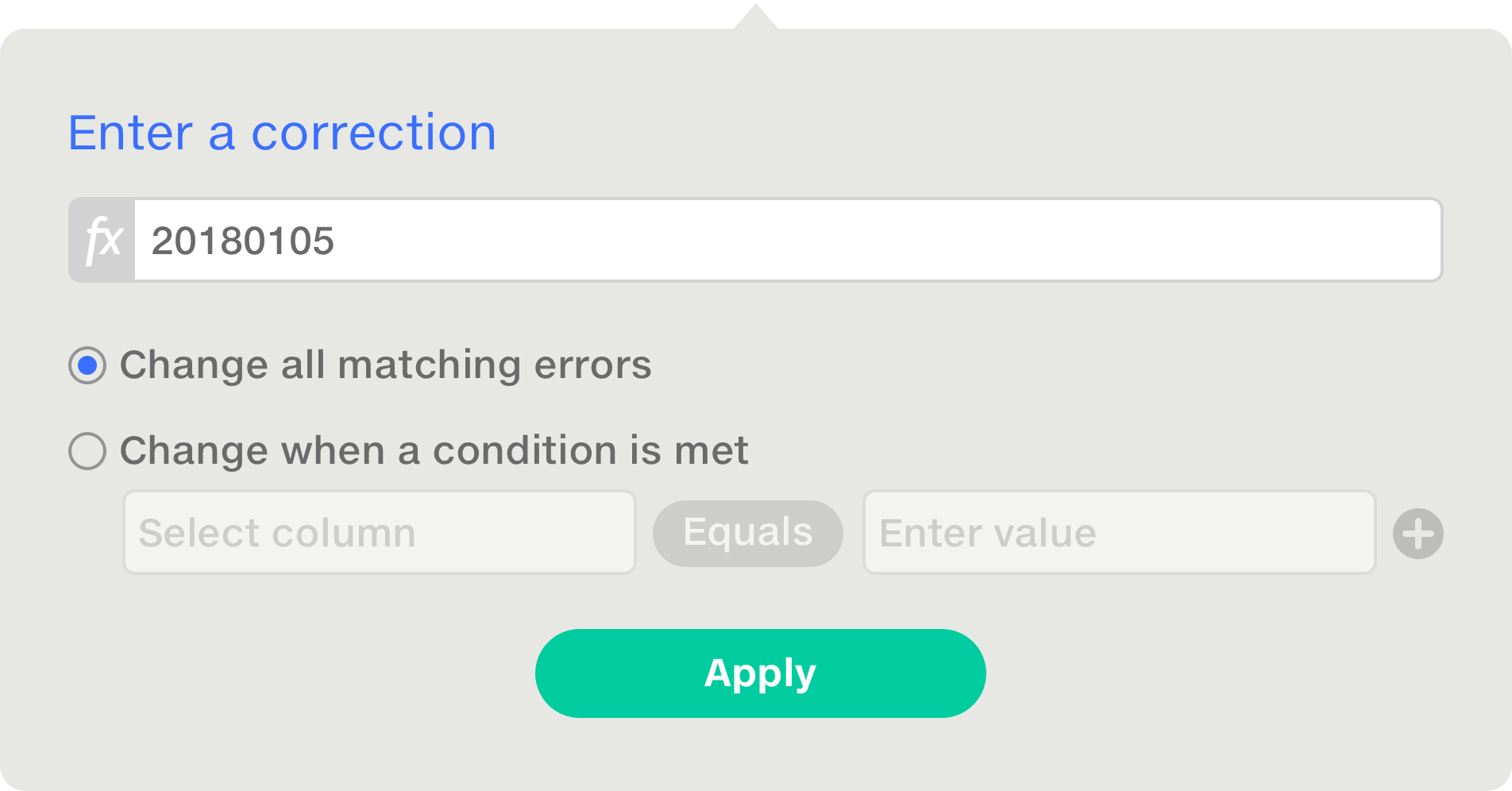
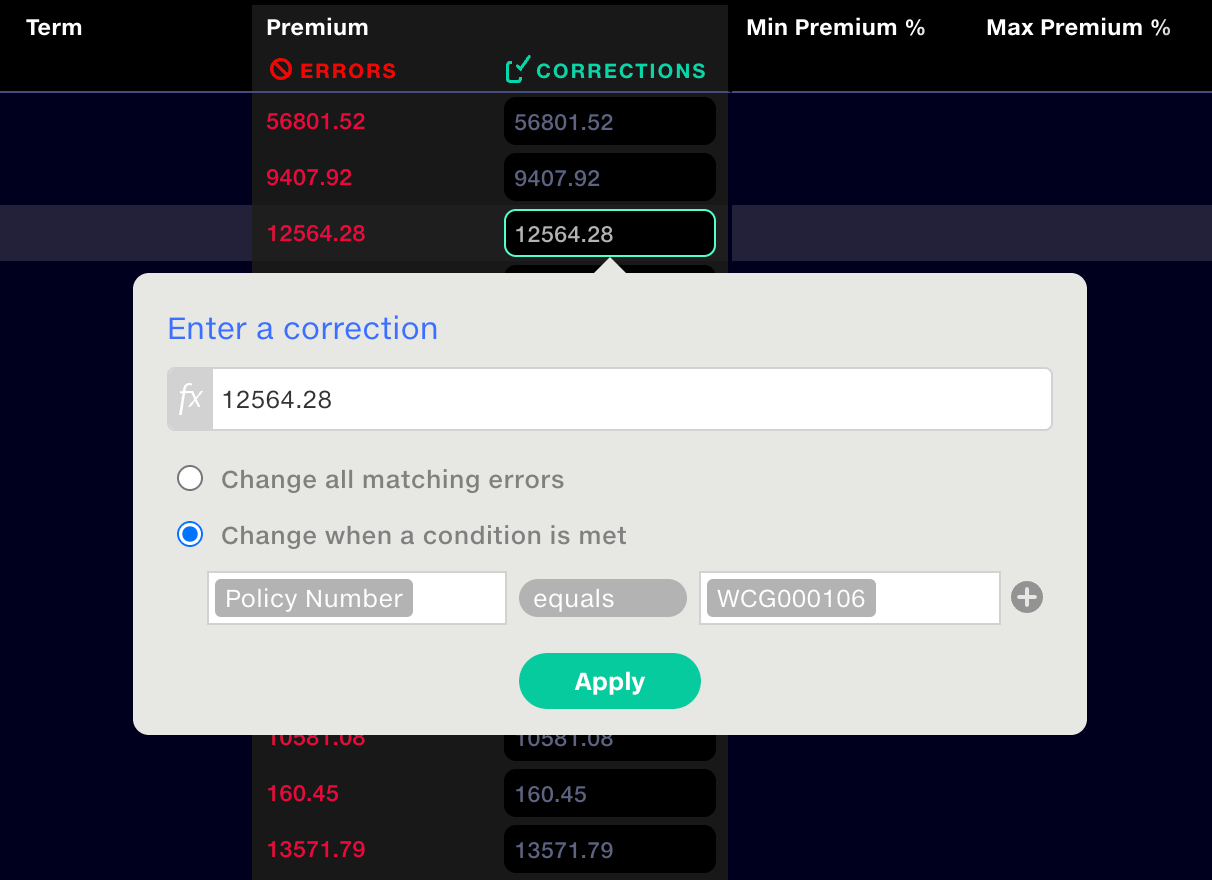
Quantemplate applies corrections to bulk data rather than isolated cells, so we needed to make this clear. When a user selects a field, it opens a popup where they enter the correction. The UI makes it clear that corrections can apply to every matching value or use conditions, such as correcting Premium only for a specific Policy Number.
I added a formula bar, so users could derive a value from another column. For example, if a date is missing, take the date from another column and subtract one month. Based on what I’d observed in production pipelines, this would be a necessary addition.
Design validation
I had identified the need for multiple matching conditions, for example to apply one correction across several policy numbers. A walk-through of the design specification with a cohort of expert users confirmed it. Their feedback was that this would be much easier than wrangling Excel-style IF statements, opening corrections up to users with less technical skill.
Preserve evidence
Keep a record of who changed what and when
More
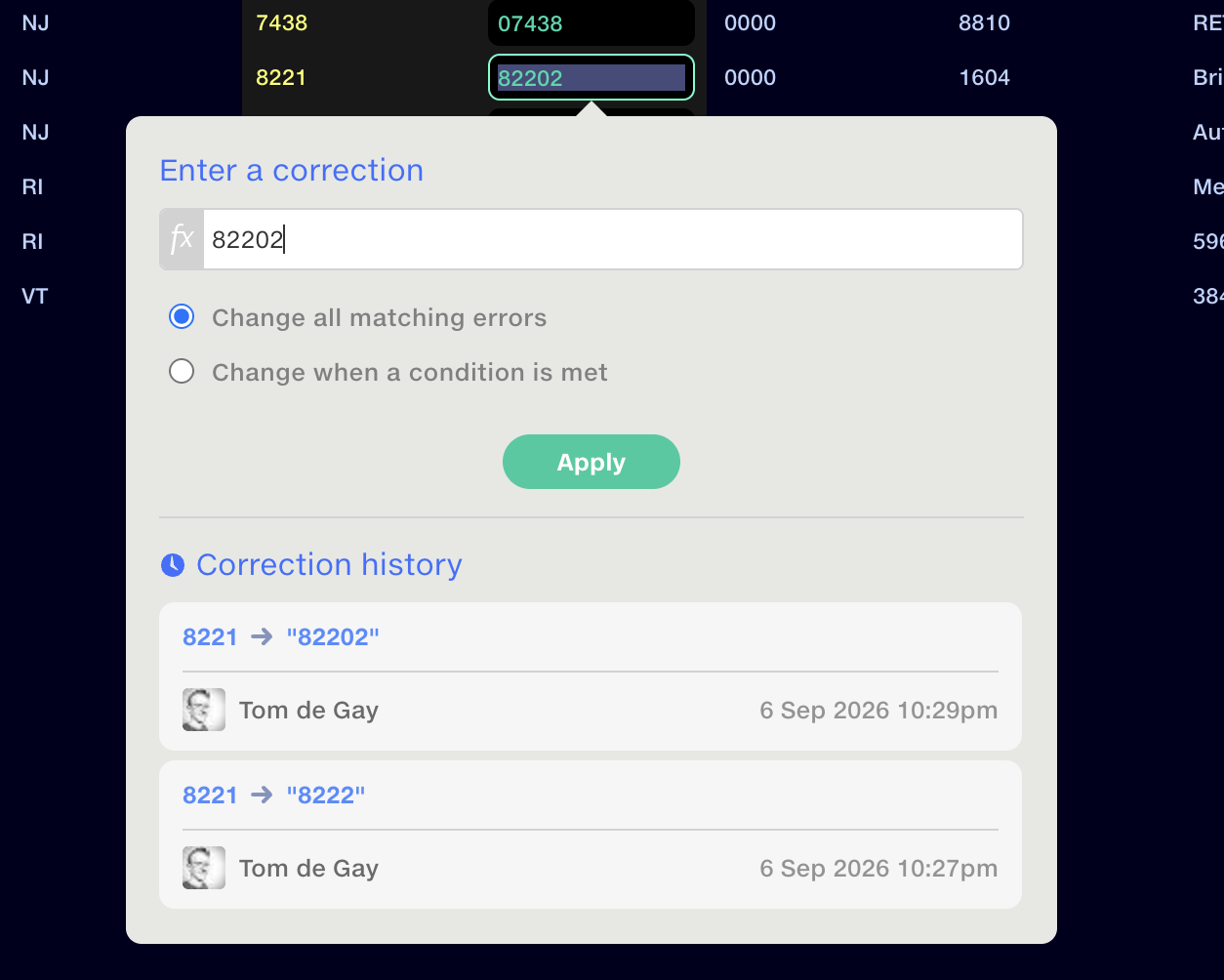
Audit was important to our clients, who use Quantemplate as a system-of-record for financial reporting. To support this, I showed the original failed values alongside the corrected rows in the report. The full change history of each edit was displayed.
Ordering matters
Let users review and reorder overlapping corrections
More
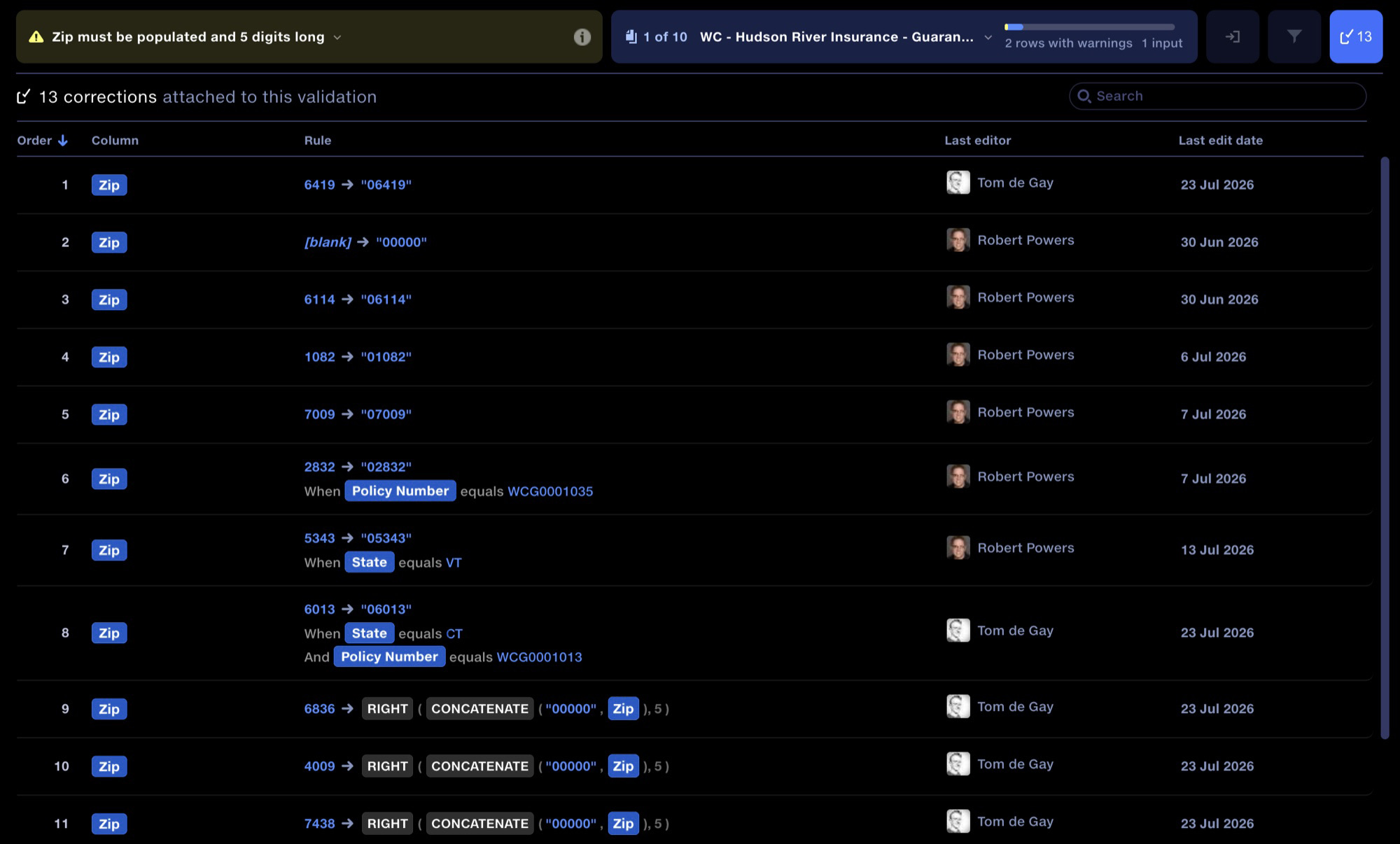
One of the things I discovered in testing, as part of our internal QA process, was that the order in which corrections apply is important, since one correction could overwrite a prior one. I designed an interface showing all corrections applied to any validation rule, allowing users to reorder or remove them.
Engineering constraint
Corrections aren’t edits to cells: they’re rules, applied in sequence each time the pipeline runs. When two rules match the same value, the later one wins, so the system can’t settle the conflict on its own. Order had to become something users could see and control.
1-minute demo
Corrections in action
Outcome
Closing the loop
- Turned dead-end error reports into complete correction workflows
- Made bulk correction authorship traceable, helping clients meet audit goals
- Achieved step change in speed at which clients could work
- 830k cells corrected in first 4 months
Clients using the in-product correction and report improvements reported a significant boost to their workflow, with the changes addressing their productivity bottlenecks.
Being able to see who had made corrections was especially valuable to them for supporting their audit processes.
In-product Validation Corrections launched on 8 July 2026. By 28 October, corrections had been applied to 830,132 cells across 52 pipeline runs.
The speed at which we can work now is a real step change. Everything feels much more fluid. I don’t even need to click all the way into the validation to see what I need. The changes have helped tremendously: I know what I need to focus on. Quantemplate user-client at major US insurance carrier
830,132 cells corrected
Cumulative corrections · 28 Oct 2026
- Pipeline runs with corrections
- 52
- Cells fixed
- 830,132
- Rules corrected
- 65
Next steps
Bringing suppliers into the loop
The next stage extends the correction workflow through Feeds, so clients can share selected results and suppliers can prepare and submit corrections inside Quantemplate; it’s now in limited beta (more on supplier sharing).
Agentic suggestions
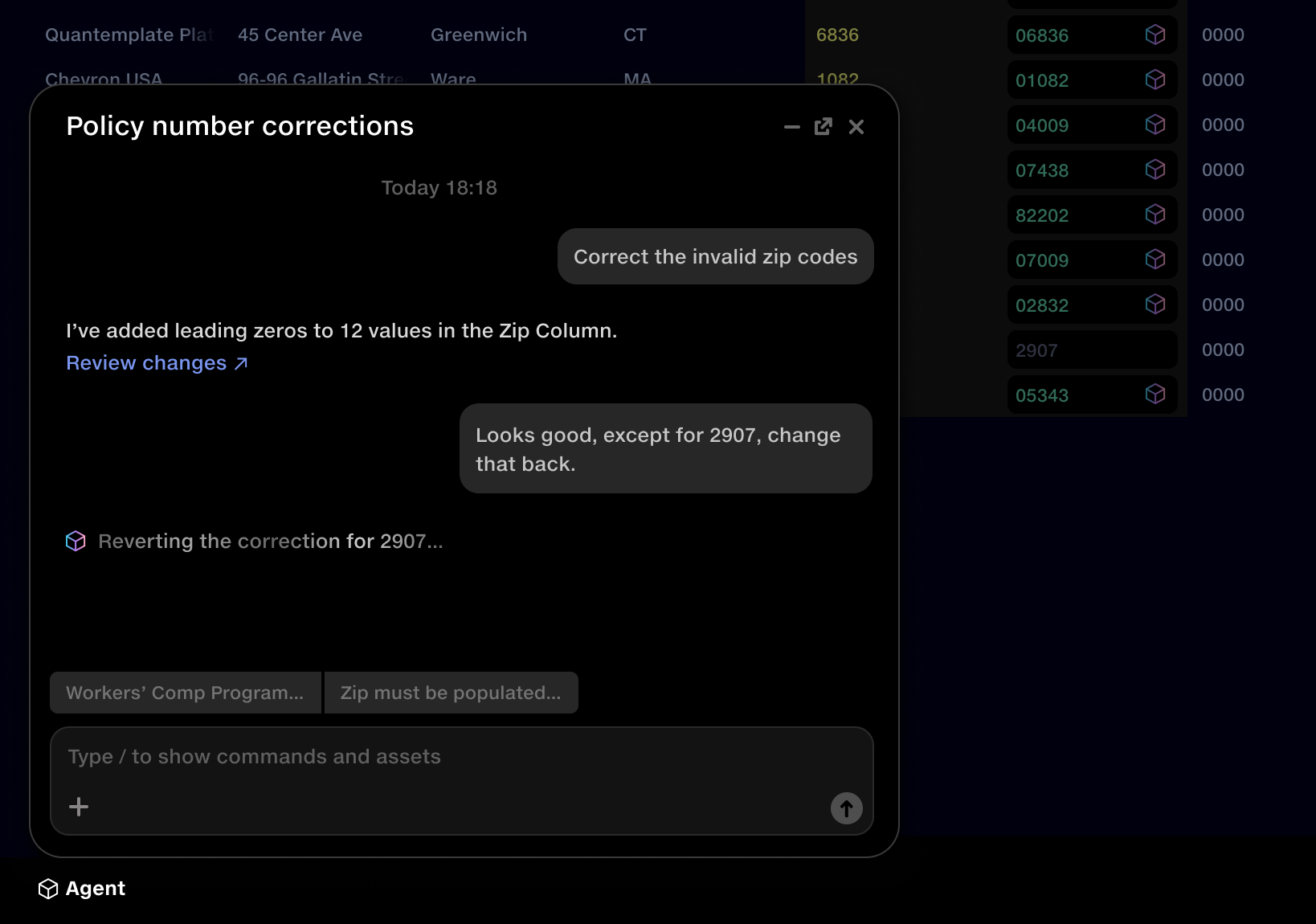
Better tools have again changed the scale of the work and exposed the next bottleneck: entering corrections could itself become repetitive.
This creates an opportunity for an agent to suggest corrections for people to review. The workflow already makes changes explicit, previewable and traceable, providing a foundation for assistance as the volume grows.
Resources
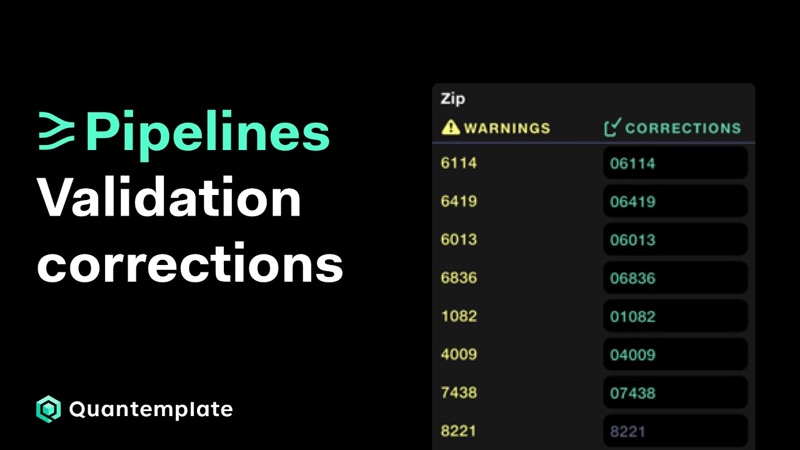 Validation corrections: find and fix data errors
Using the Validation Report to identify data quality issues and create instant correction rules, each with a full history of who changed what and when.
Watch on YouTube
Validation corrections: find and fix data errors
Using the Validation Report to identify data quality issues and create instant correction rules, each with a full history of who changed what and when.
Watch on YouTube
Next case study
 Image Insight
Making space for deeper reflection
Digital coaching tool that uses images and visual metaphors to prompt deeper reflection in online and face-to-face sessions.
Image Insight
Making space for deeper reflection
Digital coaching tool that uses images and visual metaphors to prompt deeper reflection in online and face-to-face sessions.